Google’s AI Answers: Build a Lead Funnel Beyond Clicks
▶ Watch the video version of this article
A search visitor can read your answer without ever opening your site. For a small business that relies on guides to generate inquiries, the risk is not just a lower traffic chart—it is losing the path from useful content to a qualified customer conversation. Here’s how to measure that path and build a handoff that works when someone does arrive.
Start with the claim, not the panic
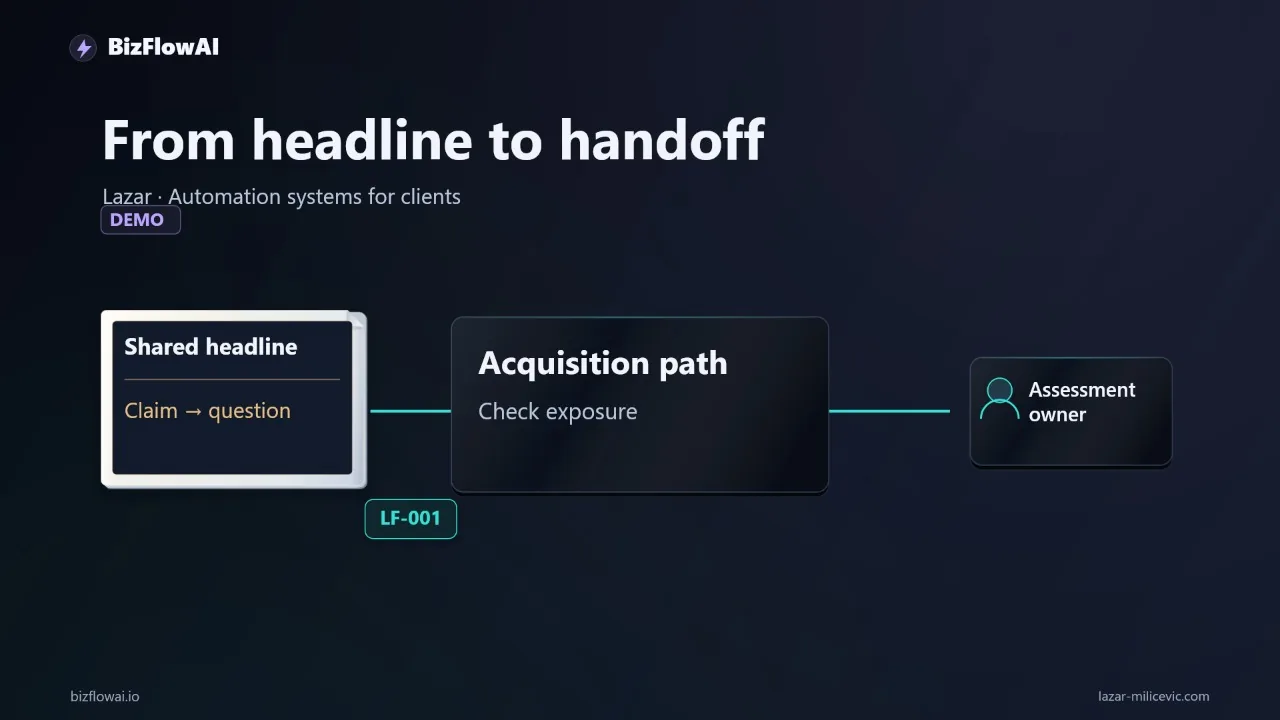
The headline “Google’s AI answers reducing search traffic by 40%” is a reason to inspect your acquisition data, not a forecast for your business. The headline alone does not provide enough information to assess the methodology or whether the finding applies to your business.
There is stronger evidence for the narrower point that people click less often when an AI summary appears. In a Pew Research Center analysis of Google searches by 900 U.S. adults, users clicked a traditional result on 8% of visits with an AI summary, compared with 15% of visits without one. They clicked a link inside an AI summary on 1% of visits to pages with a summary.
Those are observed behaviors in Pew’s sample, not a prediction for your site. The study does not tell you whether a particular service page lost inquiries, whether a visitor later returned another way, or whether an AI answer influenced a purchase without producing a click.
For an owner, the useful question is: Which searches used to bring people into a customer journey, and does that journey still produce qualified inquiries?
A reporting agency illustrates the difference. Someone looking for a reporting template might once have found a guide, downloaded a spreadsheet, and later asked for help. An answer on the results page could weaken that route. Someone looking for a quote to connect accounting software to a customer database has a different need: they still need a provider to inspect the systems, define the work, and own the result.
Don’t assume either journey has changed. Measure them separately.
Find the pages where a lost click matters
Use Search Console to identify changes in search visibility and clicks, then use Analytics to see what visitors did after they reached your site. Neither tool, on its own, tells you whether AI answers caused a decline or whether the leads you received were worth pursuing.
Start in Search Console’s overall Performance report. Compare a period with the preceding period or the same period year over year, as Google recommends when debugging traffic drops. Look at the queries and URLs that changed, then break the results down by country and device. That helps you avoid treating a decline on one informational page as a site-wide sales problem.
Google also provides a dedicated generative-AI Search report. It shows impressions for AI Overviews and AI Mode, including pages that received impressions and breakdowns by device or country. An impression is exposure in a search result; it is not a visit, an inquiry, or a sale. Google says appearances in AI Overviews and AI Mode are also included in the overall Performance report under the Web search type, so don’t add the two views together as though they were separate audiences.
Check for measurement anomalies before explaining a sudden change. Google reported a logging error that lowered impressions shown in the dedicated generative-AI report for November 9–11, 2026. Google said it affected data logging only. A dip there is not, by itself, evidence that searchers stopped seeing your pages.
Next, open the GA4 Landing page report. Add “Session source / medium” to examine sessions and key events for the pages that matter, filtered to Google organic traffic. Google’s Traffic acquisition guidance tells users to search for “google / organic” when examining organic Google Search traffic.
A simple working sheet is enough to start:
| Landing page | Search Console change | Organic sessions | Qualified inquiries | Decision |
|---|---|---|---|---|
| Informational guide | Check queries and clicks | Check landing-page sessions | Count in lead system | Improve the next step if visits still arrive but inquiries do not |
| Service page | Check service-intent queries | Check landing-page sessions | Count in lead system | Investigate urgently if qualified demand fell |
| Template page | Check visibility and clicks | Check landing-page sessions | Count in lead system | Test whether the template still leads to relevant work |
Be careful with attribution. Google says Search Console clicks and Analytics sessions need not match: they measure different things. And GA4 classifies visits from non-ad links in AI Overviews and AI Mode as Organic Search, not as its AI Assistant channel. Don’t read the AI Assistant channel as an AI Overview lead report.
Give the search visitor a job-specific next step
A page should make the next useful action obvious to someone who needs your service, not merely repeat the answer they may have seen on Google. The action should reveal enough about the customer’s situation to begin real work: request a quote, submit a workflow problem, or book an assessment.
Here’s exactly how I’d build this for a hypothetical reporting agency. Its guide can explain how to assemble a report; its next step should offer help with the reader’s specific reporting workflow. The form asks:
- Which source tools supply the data?
- What report do you produce?
- How is it assembled now?
- How often does someone do that work?
- Who should receive a follow-up?
Those questions give the agency something an AI-generated overview cannot: permission and context to assess an actual job. They also avoid asking a prospective customer to write a long project specification before anyone has spoken to them.
Place the action where it fits the page. A general guide may offer a worksheet and then an assessment for readers who want the process implemented. A service page should lead directly to a scoped inquiry. If every page ends with the same vague “Contact us,” you learn little about intent and make the visitor do the work of explaining why they came.
You do not need a special AI-search markup tactic to make a page eligible as a supporting link. Google says a page must be indexed and eligible for a Search snippet, with no additional technical requirements for AI Overviews or AI Mode. That is a baseline for eligibility, not a promise of placement or traffic. Spend your effort on a page that demonstrates the work you do and offers a clear next action.
Build the handoff as a workflow, not an AI reply
A lead handoff is complete when the inquiry is saved, assigned, and visible to the person responsible for responding. An LLM can summarize a messy request, but it should not be the component that decides whether a record exists, invents a budget, or promises that an integration is possible.
Let me show you the actual tool boundary I would use. The form submission enters a deterministic workflow. Validation checks required fields. A unique submission ID makes retries safe. The system saves the original request before asking an LLM to summarize it. The summary can flag missing details, but the owner reviews any response containing scope or technical commitments.
def handle_inquiry(submission, store, notifier, summarizer):
    required = ("submission_id", "email", "source_tools", "report_needed")
    missing = [field for field in required if not submission.get(field)]
    if missing:
        return {"status": "needs_correction", "missing": missing}

    # The submission ID is the idempotency key.
    lead = store.get_or_create(
        key=submission["submission_id"],
        original_request=submission,
    )

    if not lead.summary:
        lead.summary = summarizer.summarize(
            submission,
            instructions=(
                "Summarize only supplied facts. Flag missing information. "
                "Do not infer budget or promise technical feasibility."
            ),
        )
        store.save(lead)

    store.ensure_owner_task(key=submission["submission_id"])
    notifier.alert_owner(lead)

    return {
        "status": "awaiting_human_review",
        "submission_id": submission["submission_id"],
    }
This is a pattern, not a drop-in integration: your form, database, and task tool need their own adapters. The important detail is the order of operations. Preserve the original inquiry before producing an AI summary, and use the same submission ID when creating the record and task. If an alert fails after the record is saved, a retry must not create another lead.
I would also make failure visible. If the customer database is unavailable, keep the submission in a retry queue and notify the owner through a separate route. If the LLM is unavailable, the original request should still reach a human. If the summary contradicts the form, the form wins. None of those cases should silently turn a submitted request into a lost email.
The completion test is concrete: one submission, one saved record, one assigned task, and a visible approval status. If you cannot inspect those artifacts, “the automation ran” is not proof that a customer received a workable handoff.
Measure qualified demand, not just traffic
The decision metric is whether search-origin inquiries become qualified conversations and completed work. Traffic remains useful, but fewer visits with stable qualified inquiries calls for a different response than fewer visits and fewer qualified inquiries.
Track the stages in both Analytics and your lead system. GA4 recommends generate_lead for a submitted request, qualify_lead when it meets your criteria, working_lead when a representative contacts it, and close_convert_lead when it becomes a customer. Google also shows how to mark a generate_lead event as a key event.
Define qualification before reporting it. For the reporting agency, a lead might be qualified when the requester has named the source tools, described the report, and asked for implementation help within the agency’s scope. A student downloading a template might be a useful reader, but not a service lead. That distinction keeps a popular guide from masking a weak pipeline.
Connect each submitted inquiry to its landing page and source information where available, then keep the submission ID in your lead record. Review the page and the resulting inquiries together:
| What changed | What to inspect next |
|---|---|
| Search impressions fell | Queries, pages, countries, devices, and data anomalies |
| Clicks fell but qualified inquiries held steady | Whether the remaining visits carry stronger intent |
| Sessions held steady but submissions fell | Form errors, page changes, and whether the next step is clear |
| Submissions held steady but qualification fell | Form questions, page promise, and lead criteria |
| Qualified leads held steady but follow-up stalled | Task assignment, alerts, review status, and retry failures |
This is an acquisition audit, not proof of causation. Search rankings, query demand, seasonality, site changes, and measurement can all affect the numbers. The practical next move is to choose one search landing page that has produced inquiries, inspect its path to a qualified lead, and repair the first broken handoff you can verify.
Where bizflowai.io fits
I’m a senior engineer who builds practical AI automations for solopreneurs and small teams. For this kind of lead funnel, the engineering work is connecting an inquiry to a reliable record, an owner task, and a human-reviewed response—not adding a chatbot to a page and calling it a pipeline.
Want more like this?
I work on practical AI automation for solopreneurs and small teams.
Lazar Milićević — senior engineer who builds AI automations.
Visit bizflowai.io.
Frequently asked questions
What does the claim that Google’s AI answers reduce search traffic by 40% mean for a small business?
The narration cites a headline claiming a 40% reduction, but the provided material does not include the study’s sample, measurement period, or definition of search traffic. It cannot establish that every small business has lost 40% of its visitors. Treat the headline as a reason to examine your own search traffic and customer acquisition data, not as a universal benchmark.
How do I assess whether AI answers are affecting my customer acquisition?
Map one path from a search visit to a completed customer handoff. Start with a page that brings inquiries, then identify its next action, such as requesting a quote or booking an assessment. Measure qualified inquiries and completed handoffs alongside search traffic, and track staff time. Fewer clicks with stable inquiries calls for a different response than fewer clicks and fewer customers.
Why does a clear next step matter when customers can get answers directly in search?
An answer shown in search may satisfy someone looking for general information before they visit a website. But a person who needs a quote for connecting their accounting software to a customer database still needs their setup inspected, the work priced, and someone responsible for delivery. A website should make it easy for that person to take the next step.
How do I build a reliable workflow for handling website inquiries?
Connect an inquiry form to a process that checks required fields, saves a record with a unique submission ID, and assigns a follow-up task. An LLM can summarize the request and flag missing details, but it should not invent a budget or promise an integration is possible. Have a person review technical commitments. If saving fails, queue the submission, notify the owner, and use the ID to prevent duplicate leads during retries.