What Is an Agent Harness? Build Beyond the Prompt
▶ Watch the video version of this article
Your customer asks whether a support renewal includes weekend coverage. Gmail has the question, a policy document may have the answer, and someone on your team must approve the reply. A model can draft a convincing response, but it cannot safely run that handoff by itself. The software that controls its context, tools, limits, and approvals is the agent harness.
The harness decides what the model can do
An agent harness is the application layer that gives a model its instructions, permitted tools, context, stopping conditions, and review boundaries. The model may propose a next step; the harness decides whether to execute it. That distinction matters more than a clever prompt when an AI agent can touch customer communications.
Anthropic describes a harness in terms of the instructions and guardrails under which a model operates. It also distinguishes predefined workflows from agents that dynamically choose their process and tool use. You do not need the second category for every email.
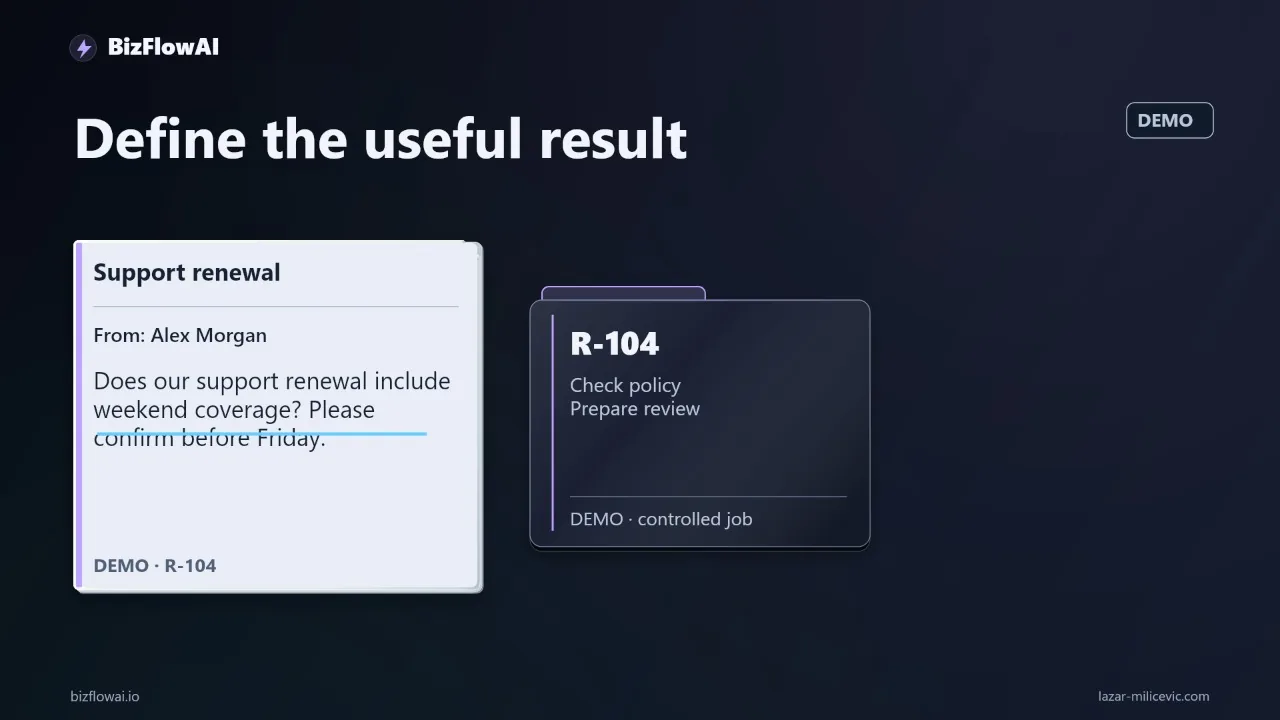
Take this fictional customer message:
Can you confirm whether our support renewal includes weekend coverage? We need an answer before Friday.
The business outcome is not “generate an answer.” It is: identify the question, find the applicable policy, show the evidence, and prepare a short proposed reply for a person to review. Sending the reply is another decision.
A sensible path looks like this:
Selected Gmail message
        ↓
Queue + duplicate check
        ↓
Worker supplies task context
        ↓
Model requests permitted policy lookup, if needed
        ↓
Dispatcher validates request and returns evidence
        ↓
Model produces a structured review item
        ↓
Application posts to a configured Telegram destination
        ↓
Human decides what to send
Watching an inbox label, deduplicating a message, and posting a validated review item are ordinary workflow automation. Keep them deterministic. The model earns its place when interpreting the message changes which information must be retrieved or whether a recommendation can be made at all.
For example, “Thanks, received” may need no policy lookup. The weekend-coverage question does. If your process always follows the same steps regardless of the message, start with a workflow rather than an agent loop.
The harness is also where an important limitation becomes executable. A prompt can say do not send email. A worker with no Gmail sending capability cannot send email through its registered tools. The prompt still helps the model behave; the tool boundary limits what a mistake can accomplish.
Start with Gmail access, not model selection
For this design, select messages outside the agent and pass only the chosen message into its job. Gmail’s messages.list method supports query and label filters, but its list results contain message and thread IDs rather than full message content. The ingestion worker must fetch the selected message separately.
That separation gives you a place to enforce routing rules before the model sees anything: which mailbox to monitor, which labels qualify, which messages have already been processed, and what body content the job actually needs.
Use the least access that supports the task. Google documents gmail.readonly for viewing messages. A metadata-only scope does not grant access to email bodies, so it will not support a worker that must interpret the customer’s question. It also cannot be used with Gmail’s search-query parameter. If you need body content, design for that requirement rather than assuming metadata access will be enough.
Avoid granting gmail.modify merely to mark an email as processed. Google documents that scope as permitting more than reading, including composing and sending. Gmail’s messages.modify method can change labels, but doing so requires write-capable access. An external job store is an alternative: record the Gmail message ID and processing state there, without changing the message.
A basic ingestion record might be:
job_id: internal-generated-id
mailbox: configured-mailbox
gmail_message_id: message-id-from-gmail
state: queued
destination: configured-review-channel
That is an illustrative shape, not a Gmail API payload. The destination comes from application configuration, not from the email or the model.
If you use Gmail push notifications instead of another trigger, plan for operational upkeep. Google’s push-notification documentation says notifications use Google Cloud Pub/Sub and the mailbox watch must be renewed at least every seven days. A notification should prompt your worker to inspect mailbox state; it should not be treated as the entire customer message.
There is a deployment consideration before you connect a real mailbox: Google classifies several Gmail scopes, including gmail.readonly, as restricted. Its scope guidance also discusses security assessments when restricted-scope data is stored or transmitted on servers. Which verification requirements apply depends on how your application is configured and used. Check the official guidance for your installation before moving customer email into another service.
Put tool permissions in the dispatcher
The dispatcher should expose narrow operations, validate every request, and reject everything else. For the renewal example, the model needs a way to look up approved policy material. It does not need inbox-wide search, an arbitrary web fetch, a configurable Telegram chat ID, or a Gmail send tool.
Here is the core pattern. The functions called below represent components you would implement; the example shows the permission boundary, not a drop-in Gmail integration.
ALLOWED_TOOLS = {"lookup_policy"}

def dispatch(tool_name, arguments, job, policy_store):
    if tool_name not in ALLOWED_TOOLS:
        raise PermissionError("Tool is not available to this worker")

    if tool_name == "lookup_policy":
        topic = arguments.get("topic")
        customer_id = arguments.get("customer_id")

        if topic not in {"support_coverage", "renewal_terms"}:
            raise ValueError("Unsupported policy topic")

        if customer_id != job.customer_id:
            raise PermissionError("Customer does not match job")

        return policy_store.lookup(
            approved_collection=job.policy_collection,
            topic=topic,
            customer_id=job.customer_id,
        )
The model can ask for a lookup. It cannot choose a different customer identifier or search an unapproved collection. Those checks run in application code, regardless of how persuasively the model explains its request.
Next, bound the loop. For an initial test, you might choose four model turns and two policy lookups. Those are design limits from this example, not measured requirements or performance results. When either limit is reached, the job becomes needs_review with a reason; it does not become completed simply because the worker stopped.
def run_triage(job, model, policy_store):
    context = build_context(job)
    lookups = 0

    for _ in range(4):  # Initial test limit, not a benchmark
        response = model.next_step(context)

        if response.kind == "final":
            item = validate_review_item(response.data)
            return {"state": "ready_for_review", "item": item}

        if response.kind != "tool_request":
            break

        if response.tool_name == "lookup_policy":
            if lookups >= 2:
                break
            lookups += 1

        result = dispatch(
            response.tool_name,
            response.arguments,
            job,
            policy_store,
        )
        context = append_tool_result(context, response, result)

    return {
        "state": "needs_review",
        "reason": "Worker stopped before producing a valid review item",
    }
Production code also needs a wall-clock deadline, exception handling, durable state transitions, and tests for malformed model output. Anthropic identifies a maximum number of iterations as one possible stopping condition. Treat every stopping condition as a route to a meaningful status, not as proof of success.
Make the evidence and approval boundary visible
The review item should separate what the customer asked, what the policy supports, and what remains unknown. A polished reply without a supporting source is not a successful answer to the weekend-coverage question.
Supply the selected email as untrusted task data. Keep the worker’s instructions outside it. Email can contain prompt-injection text; Anthropic gives an inbox example in which a malicious message asks an agent to forward other messages. In this design, such a request must not become an instruction or gain access to a forwarding tool.
Require a structured result along these lines:
summary: "Customer asks whether renewal includes weekend coverage."
recommended_action: "Confirm coverage only if policy supports it."
supporting_source:
  document_id: "approved-policy-document-id"
  excerpt: "Relevant retrieved text, if found"
proposed_reply: "Draft for human review, not sent"
review_reason: "What the reviewer must verify"
status: "ready_for_review | unresolved"
Validate the structure and the source reference before publishing the review item. If the retrieved policy does not establish whether weekend coverage is included, set status to unresolved. A useful draft might ask for the contract reference instead of guessing. The reviewer should be able to see why the system stopped short.
Posting the item to Telegram is a disclosure of customer information, even though no customer email has been sent. Decide what information reviewers need, restrict the destination, and assess whether that channel is appropriate for your data. The application—not the model—should own the destination. Telegram’s Bot API documents sendMessage text limits of 1–4,096 characters after entity parsing, so keep the review item concise and link back to an internal record when appropriate. Telegram also warns that anyone with the bot token can control the bot; store it as a secret and keep it out of prompts and logs.
Approval needs a clear meaning. In this design, a person reads the proposed reply and decides what to send. Do not label a Telegram notification as “human approval” if nobody has approved a specific action. If you later add a send action, make it a separate, authenticated step that pauses before sending and records what was approved. OpenAI’s human-review guidance describes that pause-before-sensitive-action pattern.
Test the handoffs before claiming time saved
A useful test asks whether the system reached the right review state with the right evidence—not whether the draft sounded fluent. There is no verified benchmark for the proposed Gmail-to-Telegram flow here, and no measured time-saving claim to report.
Build a small set of fictional messages that exercise different paths: a question answered by approved policy, a question the policy cannot answer, an acknowledgment requiring no lookup, a duplicate delivery, a malformed tool request, and an email containing instructions to ignore the worker’s rules. Record the expected state for each before running the model.
Inspect these outputs for every run:
| Check | What success looks like |
|---|---|
| Message selection | Only an eligible, selected Gmail message enters the job |
| Tool access | Requests outside the registry are rejected |
| Evidence | Policy-dependent claims point to retrieved approved material |
| Uncertainty | Missing coverage details produce unresolved, not a guess |
| Stopping | Limits and errors produce needs_review with a reason |
| Delivery | One validated review item reaches the configured destination |
| Customer action | No customer email is sent by the triage worker |
Duplicate handling deserves particular attention. A queue may deliver a job again after a worker failure. Store a stable key based on the selected message and workflow, then make the state transition and review-item publication safe to retry. Otherwise, a correct model response can still create a noisy, unreliable business process.
When the test cases pass, run the workflow under human supervision and record actual corrections: missing sources, wrong customer context, unnecessary lookups, unclear review notes, and duplicate alerts. Those observations tell you whether a different model would help—or whether the problem is retrieval, permissions, or workflow design.
Where bizflowai.io fits
Lazar Milićević is a senior engineer focused on practical AI automation for solopreneurs and small teams. For an inbox-triage project, the goal would be a tested workflow with defined access, a bounded agent where interpretation is needed, and a review step a business owner can use—not a prompt alone. This article describes that proposed approach, not an existing service or feature of bizflowai.io.
Want more like this?
The official channel name is BizFlowAI. Its address has not been confirmed; check the official channel listing after setup before subscribing.
Planning an AI automation project or need a second opinion on your architecture? The access controls, evidence checks, and approval boundary above are a starting point for reviewing your own design.
This article is intended for publication on bizflowai.io.
Frequently asked questions
What is an agent harness?
An agent harness is the software around an AI model that manages an operational task. The model proposes a next step, while the harness decides which tools are available, checks requests before executing them, and returns tool results to the model. It also manages the loop, stopping conditions, and outcome. This is what connects a model’s answer to controlled work across systems.
How do I set up an email-to-Telegram review flow?
Start with a Gmail trigger that passes an approved message to a job queue. A worker gives the message to the model, which can request permitted tools such as a lookup in an approved policy collection. The application stores the outcome and posts a short summary and proposed reply to a fixed Telegram destination for review. Sending the reply is a separate decision; this flow is a proposed design, not a verified capability.
Why do tool restrictions matter for an email agent?
Tool restrictions keep the model’s actions within the task’s boundaries. In the described design, the worker supplies the selected email, so the model does not need access to search the whole inbox. A policy lookup searches only an approved document collection, and a dispatcher validates its arguments before execution. These controls separate the model’s proposed action from the application’s decision to allow it.
When should I use an agent instead of a workflow for email handling?
Use ordinary workflow logic for predictable steps such as watching a Gmail label, deduplicating a message, and posting a validated review item to a configured Telegram chat. An agent may help when interpreting the email changes what information to retrieve or what recommendation to make. A support-renewal question might require a policy lookup; a simple “Thanks, received” message might not. If every message follows the same steps, start with a workflow.
How do I prevent an email agent from running indefinitely?
Set a maximum number of model turns, a wall-clock deadline, and a terminal status. The walkthrough suggests four model turns and two policy lookups as possible initial test limits, not measured requirements. If a job reaches a limit, it should return “needs review” with a reason rather than claim completion merely because it stopped.