Wabi's $1.25B Round: Can a Mini App Finish the Handoff?
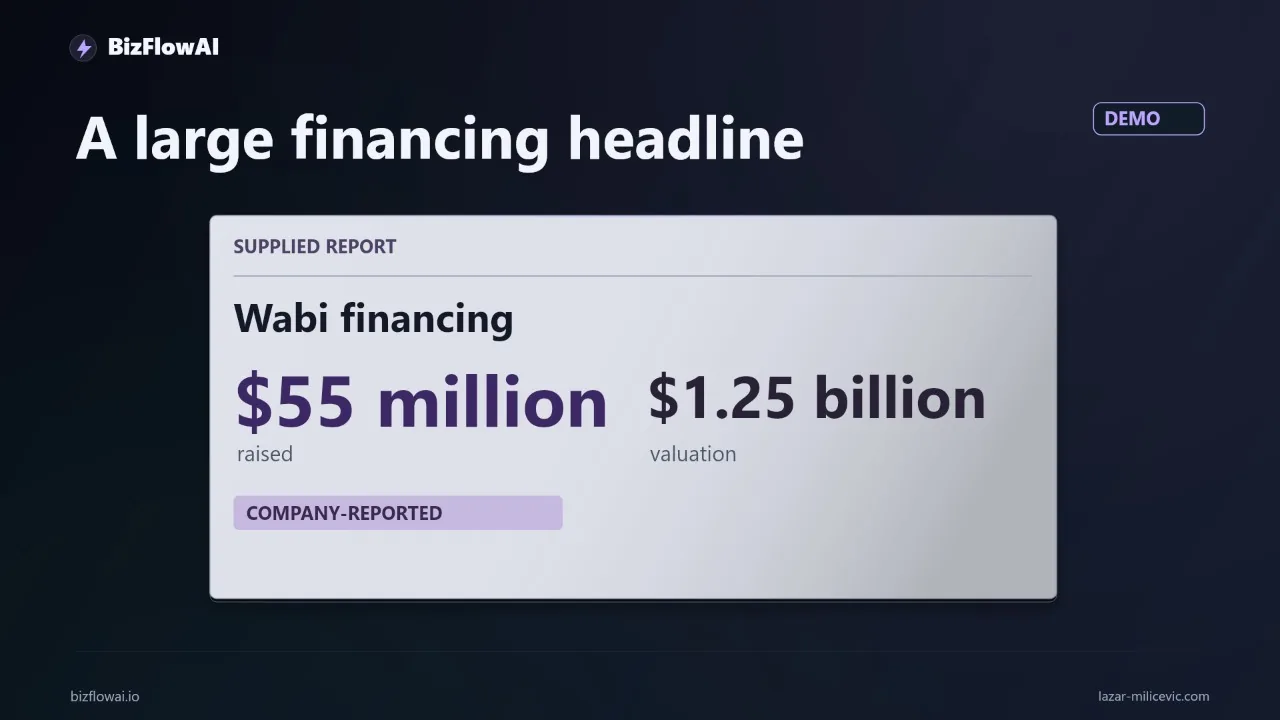
Your day has a gap in it: an email arrives, the details belong in your CRM, the pricing lives in a doc, and you are the human clipboard between all three. On October 29, 2026, Wabi announced $55 million at a $1.25 billion valuation to build mini apps that act as a "personal agent." The funding headline tells you nothing about whether that app can safely update your business systems, so this post gives you a test you can run before trusting it with a real inbox.
What the Wabi news establishes, and what it doesn't
Wabi says it raised $55 million at a $1.25 billion valuation, and the product builds mini apps that it now frames as a personal agent. That is the whole verified footprint. The round was led by IVP, with Andreessen Horowitz, Forerunner and the Amazon Alexa Fund also participating, according to Unite.AI's coverage.
Here is what I could confirm from secondary coverage, and what I couldn't:
- Confirmed: Wabi 2.0 is a messaging-style assistant with separate agentic threads for different tasks. The agent decides which apps to create, and connecting an email account generates a starting set of threads and apps (Mezha, summarizing TechCrunch).
- Confirmed: The example mini apps are consumer ones: meal planning, restaurant tracking, date-night planning, fitness plans, trivia (Powered by AI).
- Confirmed: It is SOC 2 compliant, cloud-hosted, stores most user data in the U.S., and is currently free with no settled business model.
- Not established: Which business integrations exist, what permissions they require, whether there are approval steps or audit logs, or how generated apps handle failed writes.
I did not retrieve Wabi's own announcement or docs. Everything above comes from press coverage, so check the company's site before quoting product claims as official. A valuation measures investor appetite. It doesn't measure how much admin the product removes from your week.
So I'm not presenting Wabi as a tested replacement for your current software. I'm using it as a prompt for a narrower, more useful question.
The real question: generating an app vs. finishing a job
Generating a screen and completing a handoff are different jobs, and most failures live in the second one. Take lead follow-up. A prospect emails you. Their contact details belong in the CRM. Their requirements sit in the email thread. Your pricing is in a document. Someone copies data between all three, drafts a reply, and remembers to chase it later.
A generated mini app can plausibly handle the middle of that: one screen showing the incoming request, the matching customer record, the missing information, and a proposed next action. That is a purpose-built review queue, which can beat another general-purpose dashboard.
But the job has more pieces than the screen:
- Building the interface is one job.
- Connecting it to Gmail and your CRM is another.
- Making sure a retry doesn't create a second customer record is another.
- Showing what changed, and why, is another.
A polished interface can hide an unfinished workflow. If the app shows a green checkmark while the CRM update failed, you've made the handoff harder to see than a spreadsheet would. Manual data-entry mistakes already create audit risk, and an automated mistake needs a clear trail too.
In the automations I build, the hard part is rarely rendering the summary. It's deciding what happens when the downstream step fails halfway. Working code, working system means the failure path is part of the build.
Why this gap is worth testing at all
The case for a small, single-purpose app is that the expensive part of your admin is often one repeated handoff, not the whole inbox. Survey data on owner admin time is noisy, so here is what I can attribute carefully.
According to an aggregator's summary (stealthagents.com, citing a 2023 Censuswide survey of 251 US entrepreneurs and a May 2024 UENI survey of 837 US businesses with five or fewer employees; I did not read the primary reports):
| Source (via aggregator) | Sample | Finding |
|---|---|---|
| Censuswide, 2023 | 251 US entrepreneurs | Small admin tasks took 36% of an average 45.5-hour week; 44% created invoices and 27% chased late payers in a typical week |
| UENI, May 2024 | 837 US businesses, ≤5 employees | Admin plus legal and compliance took 22.4% of owner time; median 60-hour owner workweek |
The roughly 16.4 hours per week from the first survey is a derived figure (36% of 45.5), not a separately measured result. The "two to four hours a day on email, invoicing and follow-up" framing is a rough range, not something these surveys measure. Treat it as a hypothesis to check against your own calendar.
The takeaway is directional: admin eats a large share of owner time, and a lot of it is copy-and-chase work between systems. That is exactly the shape of work a small purpose-built app could target, if it can close the loop safely.
The test brief: run it before connecting a real inbox
Write a test brief with fictional data first. If an app can't handle ten fake inquiries correctly, it has no business near your live CRM. This takes under an hour and costs nothing but attention.
Build a small file with ten fictional inquiries and a matching file of made-up customer records. Deliberately include:
- One repeat customer (should attach to the existing record, not create a new one)
- One inquiry with a missing email address
- One request outside your service area
Then give the tool this brief:
Build a lead-review app using only this sample data.
Show each inquiry beside its matching customer record.
Flag missing information.
Draft a reply.
Require approval before marking it ready for export.
Record every approved change.
That is a build brief you can try with Wabi if its available features support it. I haven't verified that they do. The same brief works on any tool that claims to generate workflow apps, which is the point: you're testing the behavior, not the brand.
If you want to check the results programmatically, a plain spreadsheet export and a few assertions are enough:
import csv

def check_results(path):
    rows = list(csv.DictReader(open(path)))
    assert len(rows) == 10, "Every inquiry needs a visible outcome"

    # repeat customer must not create a duplicate record
    repeat = [r for r in rows if r["inquiry_id"] == "REPEAT-01"][0]
    assert repeat["matched_record_id"] != "", "Repeat customer unmatched"

    # incomplete inquiry must stay visibly incomplete
    missing = [r for r in rows if r["inquiry_id"] == "NO-EMAIL-01"][0]
    assert missing["status"] == "needs_info"

    # out-of-area must reach a human, not an invented promise
    ooa = [r for r in rows if r["inquiry_id"] == "OUT-OF-AREA-01"][0]
    assert ooa["status"] == "escalated_to_human"
    assert "we can" not in ooa["draft_reply"].lower()

    # every row has an explanation
    assert all(r["explanation"].strip() for r in rows)
    print("All 10 inquiries have a visible, explained outcome.")
The inquiry_id values and column names are placeholders for whatever your test file uses. Adjust them to match.
What to inspect, and what counts as done
Pass or fail comes down to three checks and one definition. Look at the output and ask:
- Does the repeat customer stay attached to one record?
- Does the incomplete inquiry stay visibly incomplete, rather than getting quietly filled in?
- Does the out-of-area request reach a human instead of getting an invented promise?
The artifact you want is simple: ten inquiries, ten visible outcomes, and an explanation for every exception.
Be strict about vocabulary here, because this is where demos mislead you:
- A draft reply is a suggestion.
- An approved export is a handoff.
- Neither counts as an email sent or a CRM updated.
If the tool collapses those states into one friendly checkmark, you've learned something important before any real customer data was at risk.
This lines up with Anthropic's guidance on agents. Anthropic notes that agents can pause for human feedback at checkpoints or when they hit blockers, and recommends extensive testing in sandboxed environments with appropriate guardrails (Building effective AI agents). It also says agents add the most value where tasks have clear success criteria, feedback loops, and meaningful human oversight. Your ten-inquiry test is a tiny version of exactly that: clear success criteria, a sandbox, and an approval gate.
Earning access: from sandbox to live connection
Only after the sandbox test passes should you evaluate a live connection, and then start with the smallest access the workflow needs. Read-only on the inbox before write access to the CRM. One label or folder before the whole mailbox.
Anthropic's own practice is a useful model here. It describes granting agents autonomy in proportion to demonstrated reliability, tracking which task types an agent has earned autonomy on, and widening scope after repeated successes (Lessons from Anthropic on building effective human-agent teams). The same source describes a "Doer-Verifier" setup, where one agent does the task and another checks it, and recommends manually reviewing agent work at the start.
Translated to a small business, a rollout looks like this:
- Week 1: Read-only. The app proposes, you compare against what you would have done.
- Week 2: Approved exports only. A human clicks approve; the system writes.
- Later: Widen scope on task types that have repeatedly passed, and keep exceptions human.
Measure three numbers against your manual process: review time per inquiry, number of corrections, and completed handoffs. Real numbers, no estimates. If review time plus corrections exceeds what the manual copy-paste cost you, the interface is finished but the automation isn't.
One more caution from the coverage: Wabi hasn't disclosed user numbers or a business model, so early demand isn't evidence of durable traction, and its group-focused design raises questions about consent and sharing personal data (Dealroom). Wabi says access is limited to individual chats and everyone in a chat can see when someone requests another person's personal information. Whether that model fits customer data you're responsible for is something to verify in the product, not assume from a press summary.
Why bizflowai.io helps with this
I build practical AI automation for solopreneurs and small teams, and the checklist above is the one I'd apply to any tool you're evaluating, including ones I don't build. The pattern is the same one in the test brief: draft, review, approve, export, record, with exceptions routed to a human instead of papered over. If you want a second opinion on a workflow like this, you'll find me at bizflowai.io.
My take
Wabi's most useful pitch for a business owner may be smaller than the phrase "personal agent" suggests. Build the tiny app that closes one costly gap. If it removes a repeated handoff and makes exceptions easier to handle, that's useful software. If you still carry the data between every system, the interface is finished, but the automation isn't.
Run the ten-inquiry test this week. It costs an hour and tells you more than any valuation.
Want more like this?
I publish practical AI automation, GenAI engineering, and faceless content workflows on YouTube every week.
Subscribe to bizflowai.io on YouTube — never miss a new tutorial.
Planning an AI automation project or need a second opinion on your architecture?
Connect with me on LinkedIn — Lazar Milicevic, GenAI Engineer & bizflowai.io Founder.
Visit bizflowai.io for our services, case studies, and AI consulting.
Frequently asked questions
What is Wabi and how much funding has it raised?
According to TechCrunch's October 29 report, Wabi raised $55 million at a $1.25 billion valuation. The product builds mini apps, and the company now describes it as a personal agent. The valuation is a financing figure, not a measure of how much administrative work the product removes. Business integrations, permissions, and failure handling were not established in the announcement.
How do I test a lead-review mini app before connecting a real inbox?
Create ten fictional inquiries with made-up customer records, including one repeat customer, one missing email address, and one request outside your service area. Prompt the tool to show each inquiry beside its matching record, flag missing information, draft a reply, require approval before export, and record every approved change. Then check that the results are visible and each exception is explained.
What should I check when evaluating a generated mini app for lead follow-up?
Check three things. First, does the repeat customer stay attached to one record rather than creating a duplicate? Second, does the incomplete inquiry stay visibly incomplete? Third, does the out-of-area request reach a human instead of getting an invented promise? The goal is ten inquiries, ten visible outcomes, and an explanation for every exception.
Why does a polished interface not guarantee a working automation?
Building a screen, connecting it to tools like Gmail and a CRM, preventing retries from creating duplicate records, and showing what changed are separate jobs. A polished interface can hide an unfinished workflow, such as a green checkmark appearing while the CRM update failed. Automated mistakes need a clear trail, just as manual data-entry errors already create audit risk.
When should I connect a mini app to live business tools?
Connect it only after it passes a test with fictional data. Then start with the smallest access the workflow needs. Compare review time, corrections, and completed handoffs against your manual process, using real numbers rather than estimates. A draft reply is only a suggestion, and an approved export is a handoff, not a sent email or an updated CRM.