Restaurant Website in Montenegro: 2026 Playbook
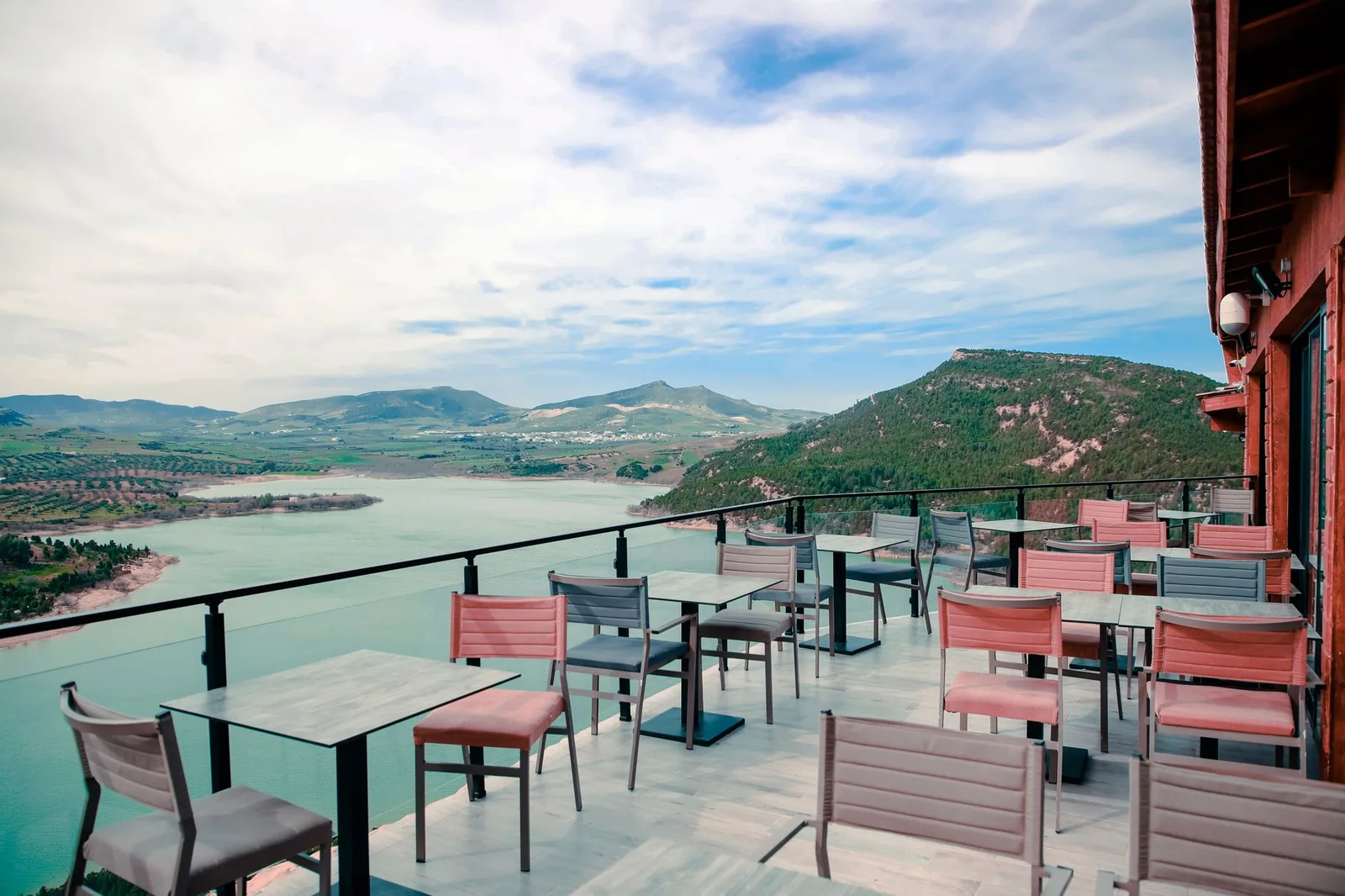
You just opened a konoba in Kotor or a beach bar in Budva. Season starts in six weeks. You have no site, one Instagram account, and a WhatsApp number that dies at 200 messages a day. Every "Do you have a table for tonight?" that goes unanswered is €80 walking to the neighbor.
This is the build I'd ship if I ran your kitchen. Not a theory piece — the exact stack, the exact pages, the exact automations, and where AI actually saves you time versus where it will embarrass you in front of a German family of four.
The 6 pages that actually earn bookings
A restaurant site in Montenegro doesn't need 20 pages. It needs 6, and they need to load on a shaky 4G connection in Sveti Stefan. Cut everything else.
- Home — one hero photo (real food, not stock), one sentence describing the place, a "Reserve" button above the fold, and today's opening hours pulled from a single source.
- Menu — full menu with prices in EUR, allergens, and photos on at least the top 8 dishes. This is your #1 traffic page. Optimize it accordingly.
- Reservations — a form or an embedded booking widget. No PDF. No "call us."
- Location & Hours — embedded Google Map, walking directions from the old town or the marina, parking notes, a phone number that is
tel:linked. - About — 3 short paragraphs, the chef's name, the year you opened. Tourists read this before they book.
- Contact — phone, email, WhatsApp deep link (
https://wa.me/382XXXXXXXX), Instagram.
That's it. No blog. No "gallery" with 60 photos nobody scrolls through. No "events" page that hasn't been updated since 2024. If a page isn't converting a scroll into a table or an order, it doesn't ship.
Menu: the page that decides whether they walk in
The menu is the most-visited page on any restaurant site — usually 50-70% of all sessions. Treat it like a product page, not a PDF.
Never use a PDF menu. Google can't parse it cleanly, it loads slow on mobile, tourists can't translate it in Chrome, and half your traffic bounces. Use HTML with proper structured data.
Here's the minimum Menu schema you want on the page so Google can pull dishes into rich results:
{
  "@context": "https://schema.org",
  "@type": "Menu",
  "name": "Dinner Menu",
  "inLanguage": ["en", "de", "sr"],
  "hasMenuSection": [{
    "@type": "MenuSection",
    "name": "Grilled Fish",
    "hasMenuItem": [{
      "@type": "MenuItem",
      "name": "Sea Bass (Brancin)",
      "description": "Whole grilled, olive oil, lemon, seasonal vegetables",
      "offers": { "@type": "Offer", "price": "24.00", "priceCurrency": "EUR" },
      "suitableForDiet": "https://schema.org/GlutenFreeDiet"
    }]
  }]
}
Practical rules for the menu page itself:
- Prices in EUR, always visible. Never "market price" without a fallback range. Tourists hate surprises.
- Allergen icons next to each dish. This is close to mandatory in the EU and expected by German, Austrian, and UK guests.
- Weight/portion for grilled fish (per 100g or whole). This is standard in Montenegro and expected.
- Photos on hero dishes only — 6 to 10, not 60. Shot on a phone in natural light beats a stock food agency every time.
- A "Today's Catch" or "Chef's Special" section at the top, editable in under 30 seconds from your phone.
If you sell wine, list the top 15 with region and vintage. Nobody reads a 4-page wine list on mobile.
Reservations: pick a system, don't build one
Do not code a custom reservation system. You will regret it in July when the DB locks up during dinner rush. Pick a proven tool and embed it.
Realistic options for the Montenegro market in 2026:
| Tool | Best for | Notes |
|---|---|---|
| Google Reserve (via a partner) | Discovery-driven bookings | Books straight from the Google Maps card. Massive for tourists. |
| TheFork | Fine dining, tourist-heavy | Commission per cover. Good inventory. |
| OpenTable | International audience | Higher fees, best brand recognition. |
| Resmio / Formitable | Independent European venues | Lower monthly fee, direct bookings. |
| Simple form → WhatsApp/email | Small konoba, <30 seats | Free, but you handle every request manually. |
Check current pricing on each vendor's site before committing — commission and monthly fees shift every season.
If you're under 30 seats and your host handles the phone, a plain HTML form that posts to your inbox and fires a WhatsApp notification is enough. Here's the minimum server logic:
# reservation_handler.py — receives POST, notifies host, confirms guest
import os, requests
from datetime import datetime

def handle_reservation(data: dict):
    party    = int(data["party_size"])
    when     = datetime.fromisoformat(data["datetime"])
    name     = data["name"].strip()
    phone    = data["phone"].strip()
    lang     = data.get("lang", "en")

    # 1. Notify host on WhatsApp (via Twilio or Meta Cloud API)
    msg = f"NEW: {name} · {party} pax · {when:%a %d %b %H:%M} · {phone}"
    requests.post(os.environ["WHATSAPP_WEBHOOK"], json={"text": msg})

    # 2. Auto-confirm to guest in their language
    confirm = {
      "en": f"Hi {name}, we've received your request for {party} on {when:%d %b at %H:%M}. We'll confirm within 30 minutes.",
      "de": f"Hallo {name}, wir haben Ihre Anfrage für {party} Personen am {when:%d.%m. um %H:%M} erhalten. Bestätigung folgt.",
      "sr": f"Zdravo {name}, primili smo rezervaciju za {party} osoba, {when:%d.%m. u %H:%M}. Potvrda stize za 30 minuta."
    }
    send_sms(phone, confirm[lang])
The trap here isn't the form — it's the confirmation loop. If a guest waits 3 hours for "table confirmed," they've already booked next door. Automate the auto-reply. Handle the actual confirmation manually until you outgrow it.
Multilingual done right: EN, DE, SR — in that order
Montenegro coast traffic in summer is roughly split between Serbian/regional guests, German-speaking (DE/AT/CH), and English (UK/US/Nordic). Russian was historically significant; that mix has shifted. Look at your own booking data before deciding.
Order of priority:
- English — default for tourists, safe for everyone.
- German — highest spending per cover on the coast. Worth the translation.
- Serbian/Montenegrin — locals, regional guests, staff.
Skip machine-translated Italian and French unless you have staff who can respond in that language. A German-speaking family who books via a broken auto-translated form and gets no confirmation in German will 1-star you.
Technical setup that actually works:
- Separate URLs per language:
/en/menu,/de/speisekarte,/sr/meni. Never a?lang=dequery string — Google handles the folder structure better. hreflangtags in the head:
<link rel="alternate" hreflang="en" href="https://konoba-x.me/en/menu" />
<link rel="alternate" hreflang="de" href="https://konoba-x.me/de/speisekarte" />
<link rel="alternate" hreflang="sr" href="https://konoba-x.me/sr/meni" />
<link rel="alternate" hreflang="x-default" href="https://konoba-x.me/en/menu" />
- Human-review the German menu. Machine translation gets "Njeguški pršut" wrong in ways that make locals wince and Germans confused. Pay a native speaker €80 once. Done.
- Currency stays EUR in every version. No conversions, no confusion.
For translation itself, GPT-class models produce a solid first draft of a menu in seconds. The workflow: draft with AI, review with a native speaker, ship. Don't skip step 2.
Google Maps & local SEO: where the bookings actually come from
If you're on the coast, your Google Business Profile (GBP) will drive more bookings than your website in the first year. The website exists partly to feed the GBP.
Non-negotiables for the profile:
- Exact category ("Seafood restaurant," not just "Restaurant"). Sub-categories for "Wine bar," "Outdoor seating," "Konoba" if applicable.
- Photos updated monthly — a dead profile signals a dead venue. Even 3 new phone photos help.
- Menu link pointing to your HTML menu page, not a PDF.
- Reservation link pointing to your booking flow.
- Q&A section — seed it yourself with the 8 questions tourists actually ask (parking, dogs, kids, view, dress code, cards accepted, vegetarian options, distance from old town).
- Reviews — a polite ask on the check card in EN/DE/SR. Reply to every review within 48 hours, in the review's language.
On the website, mirror the same NAP (name, address, phone) exactly as on Google. Any mismatch — even "Ul." vs "Ulica" — dilutes local ranking signals.
Embed the map with a proper <iframe> (Google Maps embed), and add Restaurant schema on the homepage:
{
  "@context": "https://schema.org",
  "@type": "Restaurant",
  "name": "Konoba Primjer",
  "servesCuisine": ["Seafood", "Montenegrin", "Mediterranean"],
  "priceRange": "€€",
  "address": {
    "@type": "PostalAddress",
    "streetAddress": "Obala bb",
    "addressLocality": "Kotor",
    "postalCode": "85330",
    "addressCountry": "ME"
  },
  "telephone": "+382-XX-XXX-XXX",
  "openingHours": "Mo-Su 12:00-24:00",
  "acceptsReservations": "True",
  "hasMenu": "https://konoba-x.me/en/menu",
  "geo": { "@type": "GeoCoordinates", "latitude": 42.4247, "longitude": 18.7712 }
}
Google guidance on Restaurant structured data is documented in Search Central — worth reading if you or your dev haven't set this up before.
Where AI actually saves you weeks (and where it burns you)
I've shipped dozens of small-business sites with AI in the loop. The honest picture:
AI is genuinely fast for:
- Menu translations — first-draft EN → DE, SR, IT in minutes. Review by a native, always.
- Dish descriptions — feed it the ingredient list, get 3 tone options ("plain," "warm," "poetic"). Pick one, edit, ship.
- Alt text and SEO meta for every menu item and page — a scripted batch job.
- Reservation reply drafts in 3 languages — templated, not hallucinated.
- Image cleanup — background removal, cropping, WebP conversion. A folder of 40 photos in 5 minutes.
- Google Business Profile Q&A drafts — feed your menu and location, get 15 candidate questions and answers.
AI will embarrass you at:
- Answering live reservation questions unsupervised. A hallucinated "yes we have space for 12 on Saturday" tanks your reputation. Keep a human in the loop until you have >6 months of clean logs.
- Writing "About us" copy from scratch. It reads like every other restaurant site. Write it yourself — 20 minutes, done.
- Legal pages (privacy, terms). Use a template reviewed by someone who knows Montenegro/EU data rules. Don't ship AI legalese.
- Menu translations of local specialities. Kacamak, japraci, priganice — machine translation will guess and lose the meaning.
A realistic AI-assisted build timeline for a 6-page restaurant site with menu + reservations + 3 languages:
| Phase | Manual | AI-assisted |
|---|---|---|
| Copy & translations | 3-5 days | 1 day + native review |
| Menu structuring + schema | 1 day | 2 hours |
| Photo prep (40 images) | 1 day | 30 min |
| Reservation flow | 2 days | 1 day |
| GBP setup + Q&A seeding | 1 day | 3 hours |
| Total | ~2 weeks | ~4 days |
The saving is real, but the "review" step is what separates a shipped site from a returned-to-sender one.
Hosting, speed & the boring stuff that decides rankings
Your site will be loaded on a phone, on 4G, in bright sun, by someone deciding between you and the place next door in 8 seconds. If you don't hit that window, you lose the booking.
Non-negotiable technical targets:
- LCP < 2.5s on 4G. Test with PageSpeed Insights on the actual menu page, not the homepage.
- Total page weight < 1 MB for the menu. Use WebP or AVIF for photos, lazy-load below the fold.
- CDN in front — Cloudflare's free tier is fine. Your visitors are in Kotor, Berlin, Manchester. Serve them from close.
- HTTPS enforced everywhere. Free via Let's Encrypt.
- Static-first stack where possible: Astro, Next.js SSG, or even hand-rolled HTML with a small CMS for the menu. WordPress works but you'll spend the season fighting plugin updates.
If you're on WordPress because your cousin set it up, that's fine — just kill the 14 plugins you don't need, install a caching layer, and compress every image before upload. That alone typically cuts LCP in half.
Domain-wise: a .me domain reads local and premium, a .com reads international. Both work. Pick one, redirect the other.
How BizFlowAI approaches this
When we build a restaurant site for a coastal venue, the standard package is the 6 pages above, a menu with proper Menu schema in EN/DE/SR, a reservation flow that posts into WhatsApp + email, and a GBP setup that mirrors the site exactly. We use AI where it saves days without risking quality — translations, image prep, meta generation, Q&A seeding — and a human reviews every guest-facing string before launch.
The typical outcome is a site live in under two weeks that a non-technical owner can update from their phone: change today's special, mark a day closed, swap a photo. If a delivery integration matters later (Wolt, Glovo, or a direct order flow), the menu schema is already structured to feed it without a rebuild.
Work with BizFlowAI
If you'd rather have this built for you, that's what we do: production AI automation for solo founders and small teams — agents, integrations, and document pipelines that actually ship.
Book a free discovery call — 30 minutes, we map the highest-ROI automation in your workflow. No pitch deck, just engineering.
More guides like this on the BizFlowAI blog.
Frequently asked questions
What pages does a restaurant website in Montenegro actually need?
A Montenegro restaurant site needs only 6 pages: Home, Menu, Reservations, Location & Hours, About, and Contact. Skip blogs, oversized galleries, and outdated events pages. Every page must convert a scroll into a table booking or order. The site must load fast on weak 4G connections common along the coast.
Should a restaurant use a PDF menu on its website?
No, never use a PDF menu. Google cannot parse it cleanly, it loads slowly on mobile, tourists cannot auto-translate it in Chrome, and roughly half your traffic will bounce. Use HTML with Menu schema markup, EUR prices, allergen icons, and photos on 6-10 hero dishes only. This is your highest-traffic page and typically gets 50-70% of all sessions.
Which reservation system should a small konoba in Montenegro use?
For venues under 30 seats, a plain HTML form that emails your inbox and sends a WhatsApp notification is enough. For larger or tourist-heavy venues, use Google Reserve, TheFork, OpenTable, or Resmio depending on your audience and budget. Never build a custom reservation system — it will fail during July dinner rush. Always automate the auto-reply so guests get instant acknowledgment.
What languages should a Montenegro coast restaurant website support?
Prioritize English, German, and Serbian/Montenegrin in that order. English covers most tourists safely, German-speaking guests spend the most per cover on the coast, and Serbian serves locals and staff. Use separate URL folders like /en/, /de/, /sr/ with proper hreflang tags rather than query strings. Always have a native speaker review the German menu — machine translation mangles dishes like Njeguški pršut.
How important is Google Business Profile for a Montenegro restaurant?
In the first year, your Google Business Profile will drive more bookings than your website itself. Set the exact category (e.g. Seafood restaurant), update photos monthly, link your HTML menu and reservation flow, seed the Q&A with 8 common tourist questions, and reply to every review within 48 hours in the review's language. Keep NAP (name, address, phone) identical on the website and Google — even Ul. vs Ulica hurts local ranking.