Open AI Models: Who Pays, Who Operates?
▶ Watch the video version of this article
A downloadable model can extract fields from an invoice. It cannot tell your team which customer record to trust, stop a duplicate from being posted, or recover a failed handoff to accounting software. If you are considering an open model to reduce invoice-processing work, evaluate the whole workflow—not just the extraction result.
Separate the model decision from the operating decision
Choosing an open model and choosing to run it yourself are different decisions. You can use downloadable model weights on infrastructure you manage, or use a hosted service to run a model for you. In either case, someone still owns the email connection, validation, approvals, accounting integration, and failures between them.
That distinction gets lost in discussions about model cost. TechCrunch’s conversation with Hugging Face policy chief Irene Solaiman addresses the “costs, risks, and trade-offs” of building on open models. Its description raises questions about value and control; it does not establish that an open model will make a particular small-business workflow cheaper.
For an emailed invoice, there are two decisions to put on paper:
| Decision | Options to evaluate | What it changes |
|---|---|---|
| Which model extracts the fields? | Your current model or a candidate with downloadable weights | Extraction quality, available controls, license obligations |
| Who operates inference? | A provider, a managed endpoint, or your team | Compute billing, deployment work, monitoring, incident response |
| Who operates the workflow? | Your team, a contractor, or an automation provider | Integrations, review queues, retries, accounting handoff |
The last row matters most to a small team. A managed inference endpoint may keep a model available and report whether it is healthy. It does not know whether an invoice belongs to the customer account your business intended to use.
Be precise about “open,” too. The Open Source Initiative’s Open Source AI Definition says weights alone are not sufficient under its definition; information about data and code also matters. Before using any candidate commercially, read that model’s actual license and terms. “I can download it” is not a substitute for checking whether your intended use is permitted.
Draw the invoice workflow before testing a model
An invoice-extraction model should produce a proposed record, not a completed accounting action. The safer workflow is: receive the attachment, extract fields, validate the record, match the account, check for duplicates, and route exceptions to a person. Only an approved record should reach the step that posts to accounting software.
Here is the boundary I would draw for a first build:
Email attachment
    ↓
Document storage with access controls
    ↓
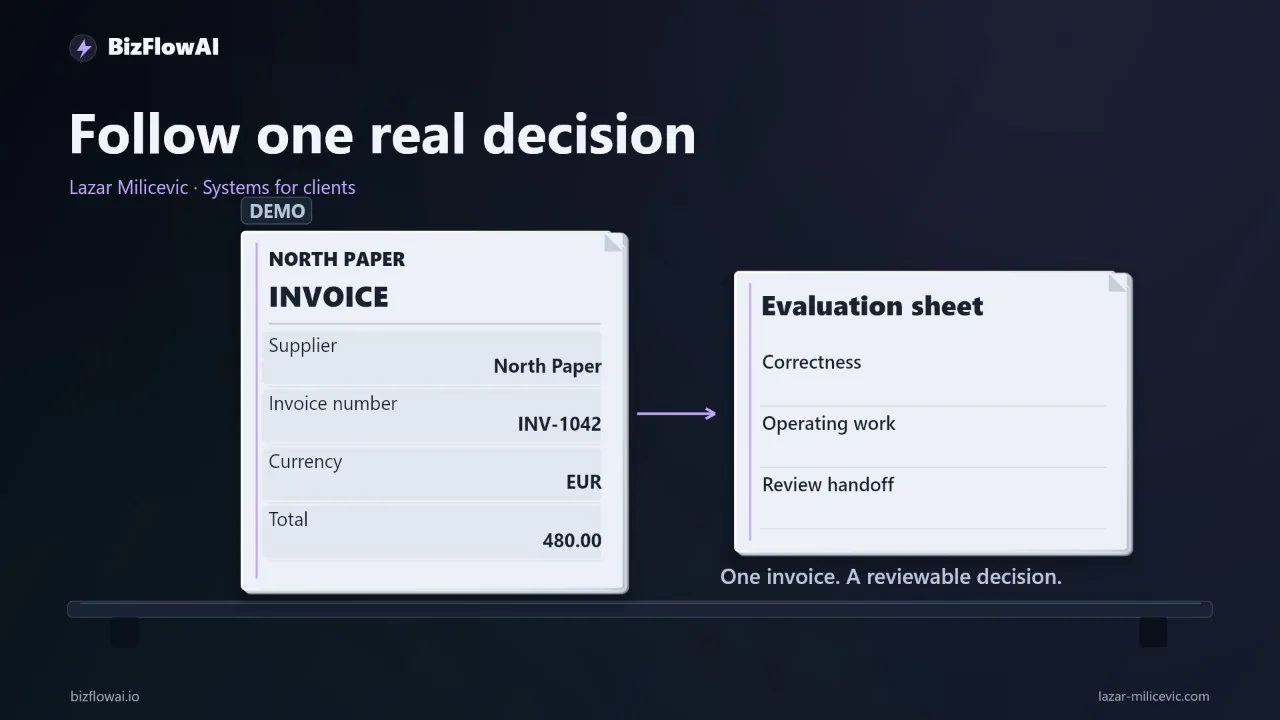
Model extraction → proposed supplier, invoice number, currency, total
    ↓
Deterministic checks → required fields and valid formats
    ↓
Account match + duplicate check
    ↓
Review queue → human approves or corrects
    ↓
Accounting integration
    ↓
Result recorded; failures returned to the review queue
The model’s job is narrow: turn the document into structured data. Do not let it silently invent a missing invoice number or choose an account because two names look similar. Keep the original attachment and the proposed record linked so a reviewer can see the evidence.
A review state also makes failures visible. An unmatched supplier should not disappear into a log. A suspected duplicate should not be retried until it posts successfully. A posting attempt that times out needs its outcome checked before another attempt, because “no response” does not prove “nothing posted.”
A small piece of validation code illustrates the separation. It does not decide whether the invoice is legitimate; it decides whether the extracted record can proceed to further checks.
from decimal import Decimal, InvalidOperation

REQUIRED = ("supplier", "invoice_number", "currency", "total")

def validate_extraction(record):
    missing = [field for field in REQUIRED if not record.get(field)]
    if missing:
        return {"status": "review", "reason": f"Missing: {', '.join(missing)}"}

    try:
        total = Decimal(str(record["total"]))
    except (InvalidOperation, ValueError):
        return {"status": "review", "reason": "Total is not a valid amount"}

    return {
        "status": "ready_for_matching",
        "record": {**record, "total": str(total)},
    }
“Ready for matching” is deliberately not “ready to post.” Credit notes, unusual totals, changed supplier layouts, and different currencies still need business rules and, where appropriate, human review. This is workflow design, not accounting or tax advice; confirm posting and approval rules with your accountant.
Test completed records, not attractive model output
The useful comparison is the cost and effort per correctly completed record, including human correction. A model that extracts cheaply but sends more documents to review may create more work than it removes. Give the current system and the candidate the same documents, requested fields, and acceptance rules.
Start with invoices you have permission to test. Include ordinary documents and awkward cases: a blurry scan, a credit note, a different currency, and a supplier whose layout has changed. Redact documents where appropriate, and check the data-handling terms of every service receiving them.
Before running either model, write the correct values for supplier, invoice number, currency, and total into a reference sheet. Otherwise, a plausible-looking output can become its own answer key. Preserve the document identifier alongside the reference values so corrections can be traced back to the source.
Use a scorecard that captures the handoff, not just field accuracy:
| Document | Required fields correct? | Processing time | Inference cost | Human correction time | Failure reason |
|---|---|---|---|---|---|
| Ordinary invoice | Record observed result | Record observed result | Record billed amount | Record observed result | Blank if none |
| Blurry scan | Record observed result | Record observed result | Record billed amount | Record observed result | Describe what failed |
| Credit note | Record observed result | Record observed result | Record billed amount | Record observed result | Describe what failed |
Record setup and maintenance time separately from per-document work. If you spend time deploying the candidate, changing prompts, adjusting an output parser, or recovering the endpoint, that work belongs in the decision—even if it does not fit neatly into a per-request charge.
Keep the test in review-only mode. Nothing should post automatically while you are establishing whether the extraction and handoff behave correctly. A small test set is an initial screen, not evidence of production reliability. If it exposes account-matching or duplicate-handling failures, fix those before spending more time comparing models.
Price the service you will actually run
A free model download does not make inference free. Compare provider charges with the full cost of the operating arrangement: compute, time spent deploying and maintaining it, correction work, and the cost of keeping an endpoint available when requests are infrequent.
For a concrete billing anchor, Hugging Face lists a dedicated Inference Endpoint instance with one NVIDIA T4 GPU at $0.50 per hour. That is an instance price, not a quote for your invoice workflow and not a guarantee that a particular model will run well on that instance. Hugging Face says deployed endpoint compute is billed while initializing or running; its published rates are hourly, with charges calculated by the minute. Minimum replicas and scale-up replicas affect the bill.
Managed service does remove some work. Hugging Face says Inference Endpoints handle container startup, shutdown, scaling, and health and performance monitoring. You still need to own the application around the endpoint: request handling, document storage, validation, review, and recovery when an accounting API fails.
Do not blend different Hugging Face products into one price. Its billing documentation says compute-service usage is separate from PRO, Team, or Enterprise subscriptions. For Inference Providers, requests routed through Hugging Face are billed to the Hugging Face account; requests made with a custom provider key are billed directly by that provider. Check which service you are testing before comparing bills or included credits.
A workable comparison sheet has separate lines for:
- Model use: billed requests or endpoint compute.
- Human work: review, correction, and exception handling.
- Operations: deployment, updates, monitoring, and incident response.
- Workflow outcomes: records correctly completed versus records still waiting for a person.
Do not fill missing lines with confident estimates and call the result a saving. Run the workflow, measure the work, and decide from observed results.
Plan for cold starts, access, and data paths
More control over inference is useful only if you know where the invoice data goes and who responds when processing stops. Self-hosting can change who operates the model, but attachments, logs, backups, error reports, and connected SaaS tools remain separate data paths that need decisions.
Draw those paths explicitly. For each copy of an attachment or extracted record, record where it is stored, who can access it, how it is removed, and whether it can appear in debugging output. Do not place full invoice contents in routine logs just because logging is easy. Give the workflow access only to the email, storage, and accounting actions it needs.
If you use a managed endpoint, check its exposure settings before sending business documents. Hugging Face documents private, public, and authenticated endpoint access, with private access as the documented default. The same configuration guidance allows deployment from a specified model-repository commit hash, which helps you identify the exact artifacts used in a test instead of comparing a moving target.
Availability needs an application-level plan. Hugging Face warns that an endpoint scaled to zero can return HTTP 502 while a new replica initializes and that incoming requests are not queued by the service during that period. For an invoice workflow, that means your application must retain the document, record the failed attempt, and retry or route it for review without creating a duplicate downstream. Verify the scale-to-zero setting on the actual deployment rather than assuming a universal idle period.
The decision should end in a named owner for each failure: who notices an extraction error, who resolves an unmatched account, who checks an uncertain posting result, and who updates the model or integration. If those answers are missing, switching models has not finished the design.
Where the model fits
My work focuses on practical AI automation for solopreneurs and small teams. For the invoice example in this article, the proposed approach is to design the intake, extraction, validation, human review, and accounting handoff as one workflow. The model choice belongs inside that design, not ahead of it. If the current extraction is already adequate, fixing the gaps between tools may be the more useful work.
Want more like this?
Lazar Milićević is a senior engineer who builds AI automations.
Frequently asked questions
What can an open AI model do in an invoice workflow?
An open AI model could extract fields from an emailed invoice into a structured record, such as the supplier, invoice number, currency, and total. It does not automatically match the supplier to an account, detect duplicates, enforce permissions, or manage approvals. Those steps require integrations and software, regardless of which model handles extraction.
When should I use a hosted model versus a self-hosted model?
Compare who will operate the model, not just which model you choose. A hosted model may charge for usage. Self-hosting requires computing resources, deployment, monitoring, and someone to handle updates. A model with downloadable weights may also be available through a hosted service. Measure these operating demands alongside the cost per correctly completed record, including human review.
Why doesn't self-hosting an AI model settle data-control questions?
Running inference on infrastructure you manage can give you more control over that processing step, but it does not determine where invoice attachments, logs, backups, or error reports go. You must make those decisions separately. If a service receives test documents, check its data-handling terms and use redacted documents where appropriate.
How should I handle errors when testing AI invoice extraction?
Send records with missing fields, unmatched suppliers, or suspected duplicates to a review queue. During the test, do not post anything automatically to accounting software. Record the model's proposed action and where a person takes responsibility. Include correction and review time when comparing costs: cheaper extraction may still cost more if it creates additional work.