NVIDIA’s Context Research: Test Notes Before Bigger Windows
▶ Watch the video version of this article
Your customer asks whether the revised quote includes installation. The answer is somewhere across an email thread, a quote document, and an agreement—but your AI assistant cannot reliably find it without you pasting everything into the chat.
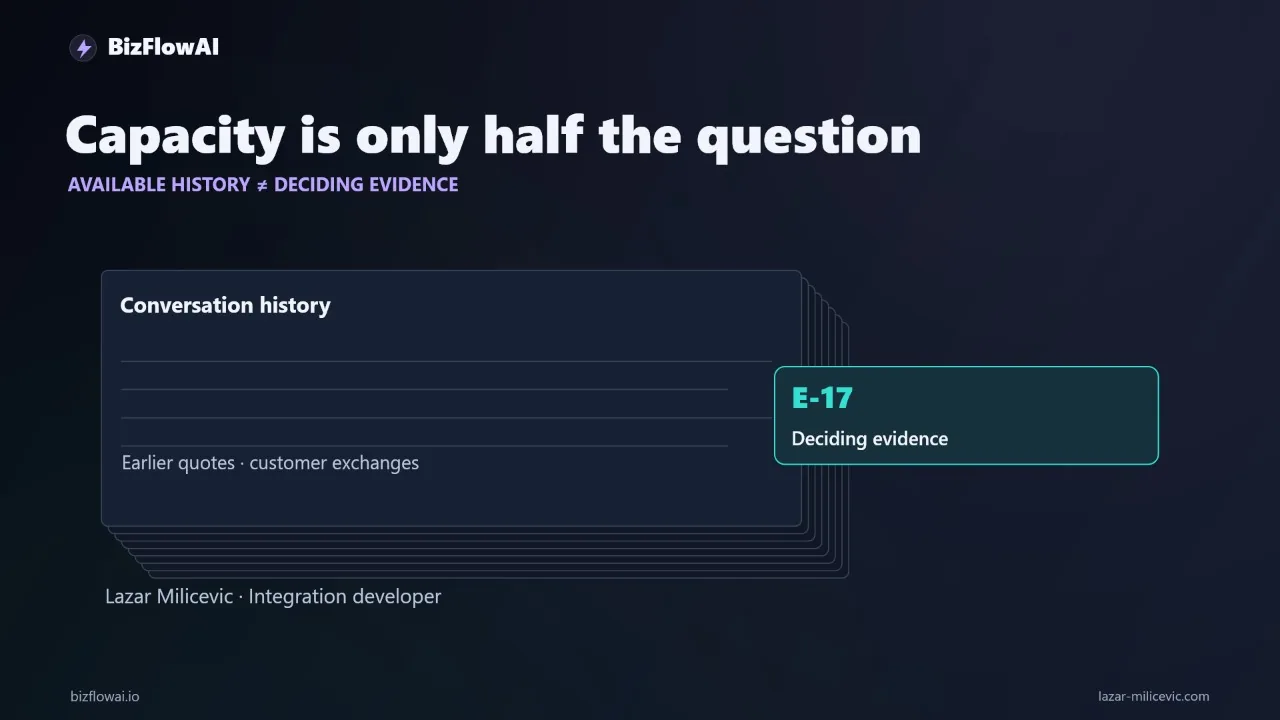
NVIDIA’s research raises a useful design question: instead of carrying the entire history into every request, can an assistant keep a short account note and retrieve the original evidence when it needs it? Here’s how I would test that question before trusting the assistant with customer follow-up.
What the NVIDIA report does—and does not—show
NVIDIA’s report raises questions about how much context a language model needs for a task. To judge what its findings apply to, check the official arXiv entry for what the authors tested, then test your own workflow against its original records. Do not treat a research title as permission to remove records from your assistant.
The NVIDIA-authored technical report, titled “You don’t need long context”, was submitted to arXiv on November 3, 2026. For this business workflow, the question worth testing is whether a shorter note can help the assistant find the right original record. Check the paper for the authors’ specific methods and results. When you shorten an account history into a note, inspect what was left out before relying on it.
That distinction matters if you are choosing an assistant for business automation. Check a model provider’s official documentation for what its context-window specification covers. Separately, test whether your workflow supplies the right quote, recognizes an exception in an old email, and notices that a document has been superseded.
The design I would test has two parts:
- Carry forward a compact note containing facts likely to matter again.
- Search the original material when a new task requires a specific answer.
The original records remain the authority. The note is a routing aid, not a replacement for the agreement.
To assess how closely the report applies to customer follow-up, check the official arXiv entry for the scope of the authors’ tests, then test with your own inbox, CRM, and documents. Search permissions may be wrong. A customer may use different words from the agreement. A summary may omit the clause that changes the answer.
My takeaway is therefore practical: do not buy or build around context capacity alone. Test whether the system recovers the right evidence and completes the handoff without inventing a commitment.
Build the account note as a pointer, not a verdict
A useful account note records the current state of a customer relationship and points to the records that support it. It should not turn a conditional agreement into an unconditional fact. The more consequential a statement is, the more important its source and revision status become.
Suppose a customer emails: “Does the revised quote include installation?” Your CRM has the opportunity, a document contains the revised quote, and an earlier email discusses installation. A note for that account could look like this:
account_id: example-account
customer: Example Customer
current_quote:
  record_id: quote-revised
  status: needs_verification
last_agreed_action: confirm installation scope before replying
source_pointers:
  - record_id: quote-revised
    type: quote
  - record_id: installation-email
    type: email
open_question: Does the revised quote include installation?
note_status: verify_against_originals
This is an illustrative structure, not a real customer record. Notice what it does not say: “Installation is included.” The assistant has not checked the revised quote or interpreted the earlier email yet.
That restraint is important. A summary can make an uncertain statement sound settled simply by shortening it. “Installation discussed” might become “installation agreed,” even though the original message made it conditional. If the assistant then drafts from the note alone, it can give the customer a confident but unsupported answer.
I would update a note when a meaningful state change occurs: a quote is replaced, a customer approves a scope, or an agreed next action changes. I would also make the update traceable to its source. If two records disagree, the note should expose that conflict rather than silently pick one.
For a small business, this keeps the memory layer manageable. You are not asking someone to maintain a second, perfect CRM by hand. You are asking the system to maintain a compact index of what to check next.
Retrieve evidence for the question the customer actually asked
When a customer asks about installation, search should fetch the current quote and the relevant agreement—not every document associated with the account. The assistant can then answer from those records, or stop if they do not support an answer.
A basic retrieval sequence is:
- Resolve the sender to the correct customer and opportunity.
- Read the account note to identify the current quote and likely supporting records.
- Fetch those records from their original systems.
- Search for related terms if the identified records do not settle the question.
- Compare the evidence, including document revision and conditional language.
- Draft a reply that cites the records used—or flag the question for review.
The search step needs more care than a keyword box. A customer may ask about “setup,” while the agreement says “on-site installation.” Searching only the customer’s exact wording can miss the relevant message. Conversely, a search result containing “installation” might concern an older quote. Retrieval has to check both relevance and current status.
Here is the shape of the evidence gate I would put between retrieval and drafting. The functions represent integrations you would have to implement for your own CRM, email, and document store:
def prepare_installation_reply(account_id, customer_message):
    note = load_account_note(account_id)
    quote = fetch_record(note["current_quote"]["record_id"])
    related = search_account_records(
        account_id=account_id,
        query=customer_message,
    )

    evidence = [quote, *related]
    current_evidence = [
        record for record in evidence
        if record.customer_id == account_id
        and not record.is_superseded
    ]

    if not current_evidence:
        return {
            "status": "needs_review",
            "reason": "No current supporting record found",
        }

    return draft_with_sources(
        customer_message=customer_message,
        account_note=note,
        evidence=current_evidence,
        instruction="Do not claim installation is included "
                    "unless the cited records establish it.",
    )
This is an implementation sketch, not a drop-in Gmail integration. Its important behavior is the refusal path. A failed search does not become “probably included.” It becomes a review request.
The draft also needs citations that a person can inspect: a link to the exact quote revision and the relevant email or agreement. A document title alone is weak evidence when multiple versions exist. If the source cannot be opened by the reviewer, the citation is not useful in the approval workflow.
Keep approval and CRM updates behind an evidence check
The assistant should draft a customer reply before it is allowed to send one, and the approved outcome should be recorded back in the CRM. Retrieval makes a draft inspectable; approval prevents an uncertain interpretation from becoming a customer-facing commitment.
For the installation question, the reviewer should be able to see three things together: the proposed reply, the revised quote, and the message that discusses installation. They should not have to repeat the assistant’s search manually.
A sensible handoff has clear outcomes:
| Evidence found | Assistant action | Human action |
|---|---|---|
| Current quote and agreement support the same answer | Draft a reply with source links | Check and approve |
| Records conflict or contain an exception | Highlight the conflict; avoid a definitive claim | Resolve the scope |
| Current quote cannot be identified | Do not answer the inclusion question | Locate the correct version |
| No supporting installation record is found | Mark evidence as missing | Check the account or ask a clarifying question |
After approval, the system can record what happened: the reply sent, the quote version referenced, the decision made, and any follow-up task. It should not write an unapproved draft into the CRM as though it were an agreed customer commitment.
This is where many AI-agent demos stop short. Producing plausible text is not the whole workflow. The finished job is a source-backed answer, an approval decision, and an accurate record for the next person—or the next assistant run.
Long context can still be the right choice. A task may require comparing many details together, or your records may be small enough that selective retrieval adds complexity without improving the result. The decision should come from testing the completed workflow, not assuming either architecture always wins.
Run a small test before changing your production workflow
Compare full-history input against note-plus-search on completed conversations where you already know the correct next action. Keep the model and drafting instructions the same, then inspect accuracy, citations, editing effort, response time, and token usage. A short test cannot prove production reliability, but it can reveal a bad memory strategy early.
Start with conversations you are authorized to process. Include cases that are awkward for a summary: a revised quote, a conditional promise, a changed contact, or an agreement described with different wording from the customer’s question.
For each case, run two versions:
- History version: provide the relevant conversation and documents directly to the model.
- Note-and-search version: provide a compact account note and access to searches over those same original records.
Ask both to identify the current agreement, draft the next reply, and cite the supporting message or document. Require an explicit “evidence missing” result when the records do not establish an answer. Do not let one version use a different model or more permissive instructions; that would muddy the comparison.
Review the artifacts, not just whether the prose sounds polished. Did the draft reference the right quote revision? Did it preserve the installation exception? Does the citation support the precise claim in the reply? How much did you have to edit before you would send it?
Record response time and token usage from the actual runs rather than projecting savings from a research benchmark. If note-plus-search misses an exception that the full-history version catches, that is a design problem to fix—not a reason to declare shorter context cheaper and ship it. If both versions fail, the issue may be record quality, retrieval, or an ambiguous agreement rather than context length.
A passing test should give you something concrete: a note you can inspect, evidence you can open, a draft you can approve, and a CRM update that reflects what actually happened.
Where this workflow fits
BizFlowAI is a channel about practical AI automation for solopreneurs and small teams. For a customer-follow-up workflow, I would test the connections between the inbox, account records, draft, approval step, and follow-up record before letting an assistant send an answer on its own.
Want more like this?
BizFlowAI is a channel about practical AI automation for solopreneurs and small teams. Its channel URL should be confirmed before sharing a subscription link.
Planning an AI automation project or need a second opinion on your architecture?
Lazar Milićević is the senior engineer behind the BizFlowAI channel.
Frequently asked questions
What is the alternative to giving an AI assistant the full conversation history?
The alternative is to keep a compact summary of what the assistant needs to remember, then search the original records for evidence when a task requires it. In a customer follow-up, that note might identify the customer, current quote version, last agreed action, and links to source records. Nvidia researchers reported that periodic summaries and targeted keyword search usually matched full-context results in their tests, but the report does not establish that this works for every task.
How do I test whether short notes and search work for customer follow-up?
Choose ten completed customer conversations where you know the correct next action, using only records you are authorized to process. Ask the same model, with the same instructions, to draft a reply using either the relevant history or a short account note plus targeted search. Require both drafts to identify the current agreement and cite supporting records. Compare accuracy, citations, response time, token usage, and editing needed. Ten examples can reveal problems, but cannot establish production reliability.
Why do source links matter when an AI assistant uses short account notes?
A short note can leave out an exception, become stale, or point to an old quote. Search can also miss a document if the customer uses different wording. Source links let the assistant check the original agreement and quote before drafting a reply, and let a person verify the evidence before approving it. If the supporting record is missing, the assistant should flag the gap rather than invent a commitment.
When should I use short notes and search versus a long context window?
Test short notes and targeted search when an assistant can carry forward a few key facts and retrieve the original records needed for the next task. A long context window can still be useful when a task genuinely requires many details together. The supplied report says the summary-and-search approach usually matched full-context results in reported tests, but it does not provide the full task breakdown or failure cases. Choose based on evidence quality and task performance, not context capacity alone.