Hire for the Handoff: What an AI Automation Brief Should
▶ Watch the video version of this article
Bigger budgets. More hours. That’s what new OpenAI and Upwork research reports for AI-related freelance projects. If you’re a founder spending substantial time on admin, that challenges the idea that adding AI automatically means less work. Here’s what this finding means for your next automation hire. The missing piece in the headline is what you’re actually paying someone to deliver. By the end, you’ll have a concrete brief for an email-to-invoice workflow. I’m Lazar, a senior engineer who builds AI automations. Let’s start with what the research actually says.
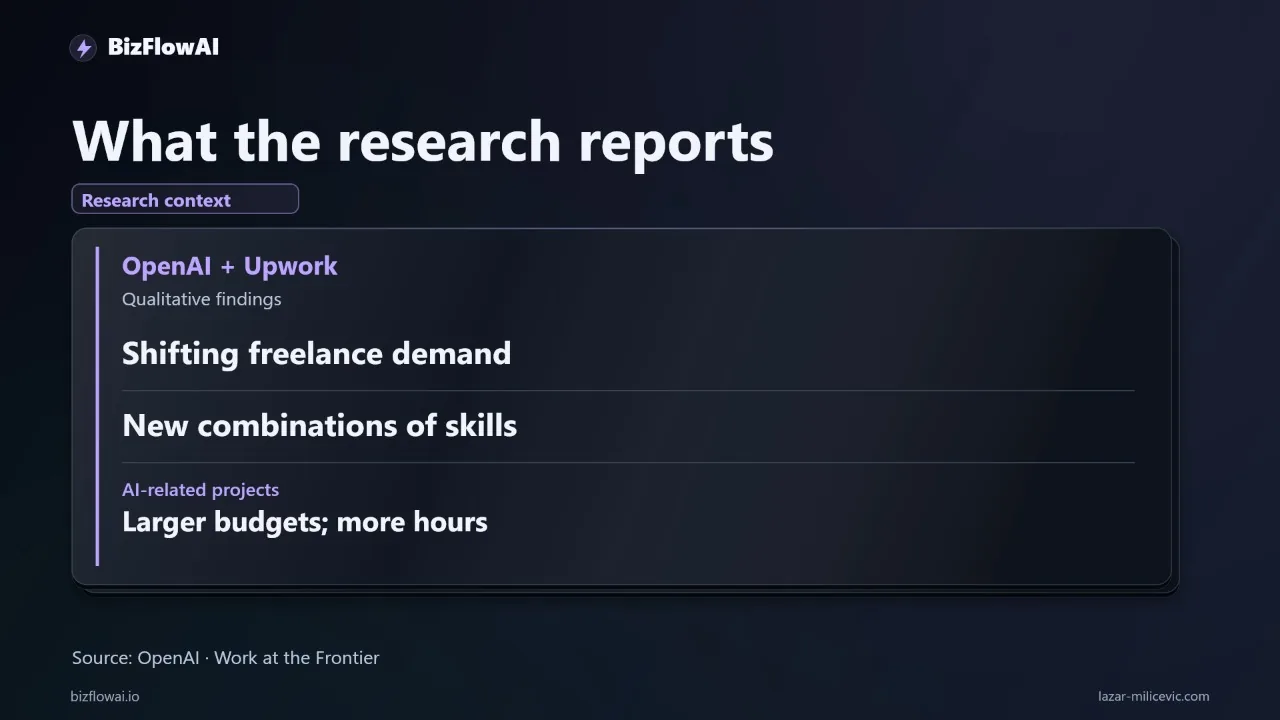
OpenAI has published research with Upwork on AI’s effect on freelance work. The reported findings describe shifting demand, new combinations of skills, and larger budgets and more hours for AI-related projects.
Those findings need a careful reading. Larger project budgets don’t automatically mean higher hourly rates. More project hours don’t establish that individual workers are more productive. And findings about freelance projects aren’t a forecast for every job.
The useful business question is narrower: when you hire someone to automate a process, what should the assignment include?
My interpretation is that the work around the model deserves more attention. Someone still has to understand your process, connect your tools, handle exceptions, and prove the result is usable. That’s an implementation lesson, not a causal conclusion from the research.
Take one job: turning an incoming customer email into an invoice draft ready for approval.
Right now, you might read the email, find the customer in your CRM, copy billing details into accounting software, and message someone to check the amount. Gmail, your CRM, accounting, chat, and documents don’t talk to each other. You become the connection between them.
Hiring another person to move those details around can be too slow and expensive. Generic software might miss your particular approval rules. And maybe you’ve already said, ‘We tried ChatGPT, but it didn’t actually integrate with anything.’
That is the gap your hiring brief needs to cover.
An AI assistant extracting an amount from an email is one step. A usable workflow also needs to find the correct customer, check required fields, catch duplicate requests, and route uncertainty to someone who can resolve it.
Here’s a concrete acceptance example. A customer emails, ‘Please invoice the same as last month.’ There’s no amount in the message. The system should flag the missing amount and present the relevant record for review. Guessing would turn an admin shortcut into a billing problem.
This is also where manual data-entry mistakes become an audit concern. You need to trace which email triggered a draft, which customer record was used, and who approved the final result.
So when you read about new skill combinations, consider the combination your own workflow requires: understanding billing operations, connecting applications, and testing ambiguous inputs. Knowing how to prompt a model covers only part of that assignment.
Here’s one thing you can do today: write a one-page acceptance brief before you hire anyone.
Use this sentence: ‘When a customer emails an invoice request, create a draft linked to the correct customer record, flag missing information, and request approval before sending.’
Then add ten historical examples. Include a complete request, a missing amount, a duplicate, and two customers with similar names. Remove sensitive information before sharing them outside your business.
For each example, write the expected result. Draft created. Duplicate flagged. Missing amount sent for review. Keep the outcomes specific enough that you and the person building it can agree whether it worked.
Finally, measure the process. Record how long those ten cases take manually. During the pilot, count usable drafts, corrections, exceptions, and review time. Subtract the review and maintenance effort when you calculate savings. Real numbers, no estimates.
Here’s my take: a cheap automation quote can become expensive if the handoffs are missing. A larger quote can still be poor value if nobody defines success. The research reports larger budgets and more hours for AI-related projects; it doesn’t tell you which proposal to buy.
Buy against a clear acceptance test. For this workflow, the payoff is a checked invoice draft waiting for approval, with its source attached. That’s a deliverable you can inspect before trusting the process with more work.
Want more like this?
I’m Lazar Milićević, a senior engineer focused on practical AI automation for solopreneurs and small teams.
Start with the acceptance brief above. It gives you a way to describe the workflow, test the handoffs, and assess what a builder delivers.
If you’re planning an automation project, keep the ten examples and their expected outcomes close to the brief. They’re more useful than a promise that AI will handle everything.
Frequently asked questions
What is an acceptance brief for an AI invoice workflow?
An acceptance brief describes what the workflow must do and how you will test it. For an emailed invoice request, it should require a draft linked to the correct customer record, missing information flagged, and approval before sending. Include historical examples, such as a complete request, a missing amount, a duplicate, and customers with similar names. Write the expected outcome for each case and remove sensitive information before sharing the examples.
How do I hire someone to automate invoice requests?
Give candidates a brief that covers the whole process, not just extracting text from emails. The workflow must find the right customer, check required fields, catch duplicates, handle uncertainty, and request approval before sending. Provide historical test cases with expected outcomes so you can assess whether a working draft is produced. The assignment also requires connecting the applications involved and testing ambiguous requests.
Why do exception handling and audit trails matter for AI-generated invoice drafts?
Invoice requests can be incomplete or ambiguous. If a customer writes, “Please invoice the same as last month,” the system should flag the missing amount and present the relevant record for review rather than guess. An audit trail should show which email triggered the draft, which customer record was used, and who approved it. Those checks help prevent billing mistakes and make the final draft inspectable.
How do I measure whether an AI invoice workflow saves time?
Start by recording how long ten historical invoice requests take to process manually. During a pilot, count usable drafts, corrections, exceptions, and the time spent reviewing them. Include maintenance effort when calculating savings rather than treating every automated step as time saved. Compare the results with the expected outcomes in your acceptance brief, using measured figures rather than estimates.
What do the OpenAI and Upwork findings tell me about hiring for AI work?
OpenAI’s research with Upwork reports shifting demand, new combinations of skills, and larger budgets and more hours for AI-related freelance projects. Those findings do not establish higher hourly rates, greater individual productivity, or what every job will look like. They also do not identify which automation proposal to buy. For a specific project, define the required workflow and test its results before judging the value of a quote.