Granite Switch 4.1.1: Before You Update Your AI
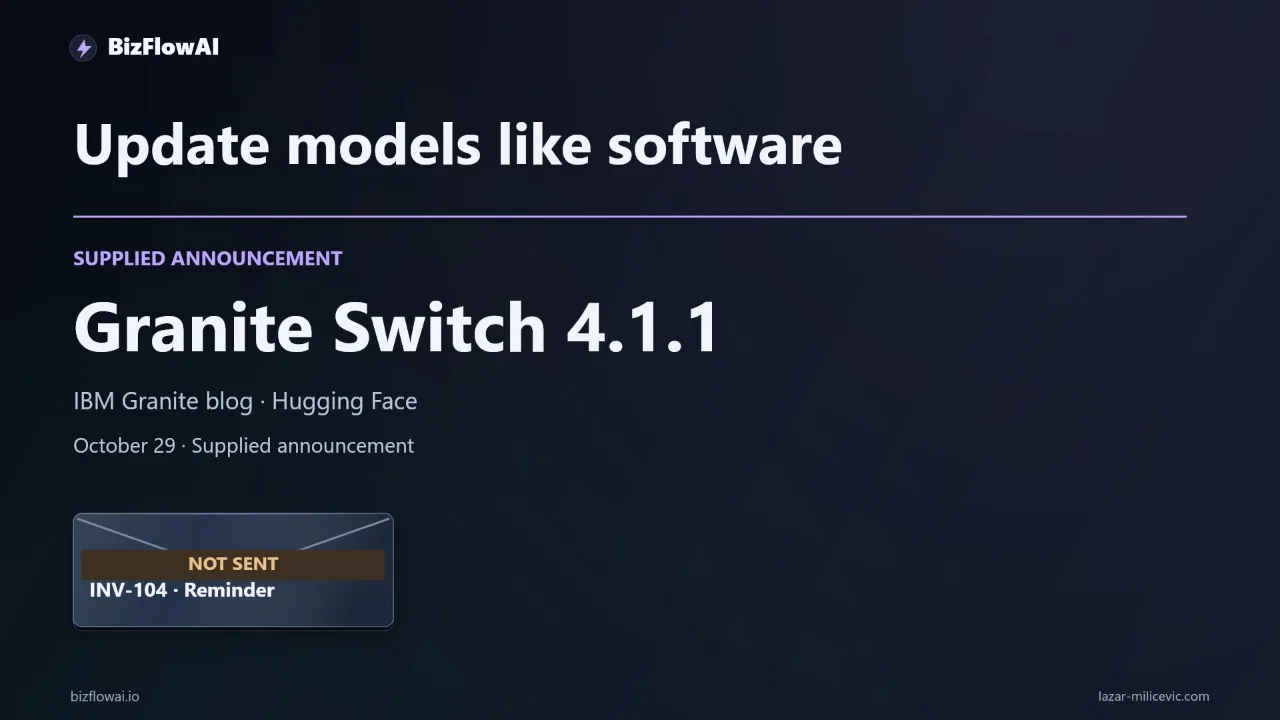
▶ Watch the video version of this article
An AI model can update successfully while the business workflow around it gets worse. If a customer disputes an invoice and your automation drafts another payment reminder, the integration worked—but the decision failed. Granite Switch 4.1.1 is a useful prompt to test that distinction before any model change reaches customers.
What Granite Switch 4.1.1 changes—and what it does not prove
IBM describes Granite Switch 4.1.1 as a backward-compatible patch to 4.1 that requires no migration. That is a compatibility statement, not a guarantee that every decision in your workflow will stay the same. The release changes the Granite Speech ASR model and the Decision adapter in granitelib-core; IBM says the base model was not recomputed.
IBM’s announcement puts the idea plainly in its title: “Update models like you update software.” For an operator, the important word is update. You need a release process, not just a successful installation.
IBM reports improved overall Decision-adapter performance on the Jev Decision Index test set, but the announcement does not provide a numerical before-and-after comparison. It does not establish how the update will classify your invoice replies, route your support requests, or handle your approval rules. IBM also describes tutorials and an Adapter SDK as being in development, rather than available as part of this announcement.
So the decision is narrow: if this change could affect a workflow you run, can the candidate version pass that workflow’s existing acceptance tests? A general performance claim cannot answer that for your business. Neither can the fact that your application still starts.
The same principle applies if you are not using Granite. A hosted model alias can change, a local checkpoint can be replaced, or a component used by an AI agent can be upgraded. In each case, a working connection tells you little about the completed task.
Draw the boundary around one business decision
The most useful test target is a completed decision, not an isolated model response. For an overdue-invoice reply, that means following the email from classification through the proposed action and the approval handoff—with sending disabled during testing.
Consider four messages that might reach the same inbox:
| Customer reply means | Safe next step | What must not happen |
|---|---|---|
| “Please send me another copy.” | Prepare the invoice copy for review or delivery under your existing rule | Treat the request as a payment refusal |
| “I dispute this charge.” | Stop the reminder path and route to a person | Draft a routine payment reminder |
| “I think we already paid.” | Check the accounting record before deciding what to say | Mark the invoice paid based only on the email |
| The message is unclear | Request review | Guess an action and send it |
These are example rules, not claims about Granite Switch’s behavior. Your actual categories should reflect how your business resolves exceptions.
The workflow boundary matters because an AI agent may touch several systems: email supplies the reply, customer records identify the account, accounting data shows payment status, and a chat or task tool carries the handoff. A correct-looking classification in a test prompt does not prove the right record was checked or that the right person received the exception.
Map the path before testing. Record the incoming event, the data made available to the model, its structured output, the rule that permits or blocks an action, and the eventual destination. You are looking for the point where an interpretation becomes authority. If the model can both decide “routine reminder” and send it, a classification change can become a customer-facing mistake without another check.
That does not mean a person must approve every draft forever. It means you should decide which actions are reversible and low-risk, which require a record check, and which need explicit approval. Keep those permissions outside the model prompt where possible, so changing the model does not silently change its authority.
Build a release set from messages your team actually handles
A useful release set contains historical cases with an expected category and an allowed next action. It should include ordinary requests alongside disputes, payment claims, and ambiguous replies; otherwise, the test mostly checks the easy path.
Start with messages you are permitted to use. Remove unnecessary personal information before putting them in a test file, and retain only the context needed to make the decision. Write the expected result yourself or have the person responsible for that workflow review it. Do this before looking at the candidate model’s answers. Otherwise, it is easy to adjust expectations to make a plausible response look correct.
Here is the shape of a small JSONL fixture. Each line is a separate test case:
{"case_id":"copy-request","email":"Could you send another copy of the invoice?","expected_category":"copy_request","expected_action":"prepare_copy"}
{"case_id":"charge-dispute","email":"I dispute this charge. Please stop the reminders.","expected_category":"dispute","expected_action":"hold_for_review"}
{"case_id":"payment-claim","email":"I think we already paid this.","expected_category":"payment_claim","expected_action":"verify_payment"}
{"case_id":"unclear-reply","email":"We need to talk about this before anything else.","expected_category":"ambiguous","expected_action":"hold_for_review"}
Call the file cases.jsonl. The examples are intentionally short; a real case may need an invoice status or prior correspondence to be judged fairly. If a case cannot be resolved without that context, include the minimum relevant context rather than asking the model to guess.
For a clean comparison, keep the prompt, available tools, business rules, and test inputs fixed. Run the current and candidate versions with outbound sending disabled. Save structured outputs keyed by case_id, including the category, proposed action, and whether approval was requested. Also record the exact model or component version and configuration used for each run.
Do not interpret a small release set as proof of production reliability. Its job is to catch known, consequential regressions repeatedly. Add a case when a new failure mode appears in operations; do not quietly rewrite an expected answer because a new model disagrees.
Put action rules outside the model, then compare both versions
The model should propose an interpretation; a separate rule should decide what that interpretation is allowed to trigger. This split does not make bad classifications harmless, but it gives you a place to stop invalid actions and a clear artifact to inspect during an upgrade.
Let’s say each model run writes a JSONL file with case_id, category, proposed_action, and approval_required. The following standard-library Python script compares those files against the fixtures. It also checks whether a proposed action matches the policy for the model’s own category—so a model cannot label something a dispute while proposing a reminder.
import json
import sys
from pathlib import Path

POLICY = {
    "copy_request": ("prepare_copy", True),
    "dispute": ("hold_for_review", True),
    "payment_claim": ("verify_payment", True),
    "ambiguous": ("hold_for_review", True),
}


def read_jsonl(filename):
    rows = {}
    for line in Path(filename).read_text(encoding="utf-8").splitlines():
        if not line.strip():
            continue
        row = json.loads(line)
        case_id = row["case_id"]
        if case_id in rows:
            raise ValueError(f"Duplicate case_id: {case_id}")
        rows[case_id] = row
    return rows


def evaluate(case, output):
    category = output.get("category")
    action = output.get("proposed_action")
    approval = output.get("approval_required")

    if category not in POLICY:
        return ["unknown category"]

    permitted_action, required_approval = POLICY[category]
    failures = []

    if category != case["expected_category"]:
        failures.append("category differs from expected")
    if action != case["expected_action"]:
        failures.append("action differs from expected")
    if action != permitted_action:
        failures.append("action violates policy for predicted category")
    if approval is not required_approval:
        failures.append("approval requirement differs from policy")

    return failures


cases = read_jsonl("cases.jsonl")
current = read_jsonl("current.jsonl")
candidate = read_jsonl("candidate.jsonl")

if set(cases) != set(current) or set(cases) != set(candidate):
    raise ValueError("Current, candidate, and fixture case IDs must match")

candidate_failed = False

for case_id, case in cases.items():
    old_failures = evaluate(case, current[case_id])
    new_failures = evaluate(case, candidate[case_id])
    candidate_failed |= bool(new_failures)

    print(json.dumps({
        "case_id": case_id,
        "expected_action": case["expected_action"],
        "current_action": current[case_id].get("proposed_action"),
        "candidate_action": candidate[case_id].get("proposed_action"),
        "current_failures": old_failures,
        "candidate_failures": new_failures,
    }))

sys.exit(1 if candidate_failed else 0)
Run it with:
python release_check.py
This is a comparison harness, not a Granite Switch integration or a claim that the model produces these fields automatically. Your application must convert its actual outputs into the stated JSONL format. Keep the original model response available to reviewers, but avoid copying sensitive email content into broad-access logs.
The script deliberately fails if a candidate misclassifies a case, even when two categories happen to lead to the same action. It also displays failures in the current version: an old defect is still a defect, and a candidate passing the fixture does not erase it. The policy shown here requires approval for every proposed action because it is a cautious test configuration. Change that setting only after deciding which actions your production workflow may perform unattended.
There is an important limit to this design. If the model calls a dispute a routine request, a category-based policy may follow the wrong branch. That is why the expected-category test and production approval rules both matter. For higher-impact actions, a rule tied only to the model’s label is not enough; require an independent record check or human review.
Release in stages and keep the previous configuration usable
A model update is ready for a business workflow only when it passes the relevant cases, its handoffs are inspectable, and you can return to the previous configuration. Passing a release set is permission to proceed carefully—not evidence that every unseen message will be handled correctly.
First, inspect every consequential difference between the current and candidate outputs. A change from “dispute” to “copy request” matters even if neither version sent an email in the test. A change from “payment claim” to “paid” matters because the latter asserts something the reply alone cannot verify. Investigate the original message, the context supplied to the model, and the action rule before deciding whether to accept the change.
Next, test the handoff as a person would see it. The reviewer needs the relevant original reply, the proposed action, and the reason approval is required. A notification that merely says “needs review” transfers the work without the information needed to do it.
Then introduce the candidate without immediately granting customer-facing authority. You can compare its decisions with the current version while suppressing duplicate actions. Make sure this comparison path cannot accidentally send a second message or update an accounting record. If you later allow it to take actions, retain an audit trail of the input reference, model version, output, policy decision, approval, and resulting action.
Finally, preserve what rollback actually needs: the prior model or adapter reference, prompt, configuration, tool permissions, and routing rules. Rolling back the model alone may not restore behavior if those other pieces changed at the same time. Assign someone to make the release decision and someone to notice exceptions after release—even if, in a small business, those are the same person.
IBM’s backward-compatibility claim is relevant to adopting Granite Switch 4.1.1. It does not replace this workflow check. The practical standard is simpler: show that the new version makes acceptable decisions under your rules, and show how you will stop it if it does not.
Where this fits at bizflowai.io
I build practical AI automations for solopreneurs and small teams. The approach here is the one I would use around a model-dependent workflow: make its decisions testable, keep action permissions explicit, and leave an inspectable approval and rollback path rather than treating a successful model update as a successful business outcome.
Want more like this?
BizFlowAI is the channel name. Its address is not yet available.
Lazar Milićević is a senior engineer who builds AI automations.
Frequently asked questions
How do I test a model update in an invoice-reply workflow?
Select twenty historical invoice replies you’re allowed to use and remove unnecessary personal information. Include routine requests, disputes, payment claims, and ambiguous messages. Record each reply’s expected category and permitted next action. With the prompt, tools, and business rules unchanged, run the current and candidate models on the same cases with sending disabled. Compare classifications, proposed actions, and approval requirements, then investigate consequential failures before release.
Why does testing business actions matter when updating an AI model?
A model update can leave integrations and automation running while changing the action they produce. In the narration’s illustrative example, a disputed invoice could be classified as a routine reminder, leading to the wrong follow-up despite a technically successful run. Testing should therefore compare expected and proposed actions, not just whether the model starts or returns an answer. This is an operational risk example, not a reported Granite Switch result.
When should an invoice automation act automatically versus require approval?
That depends on the business rules you set for the workflow: which actions may proceed, which need human approval, and which must stop. For example, a claim that an invoice was paid should trigger a check against accounting records before another reminder goes out. A useful handoff shows the reviewer the original reply, proposed action, and reason approval is needed. Those rules should remain fixed when comparing model versions.