Gemini Can Edit Google Docs. Fix Your Client Handoff.
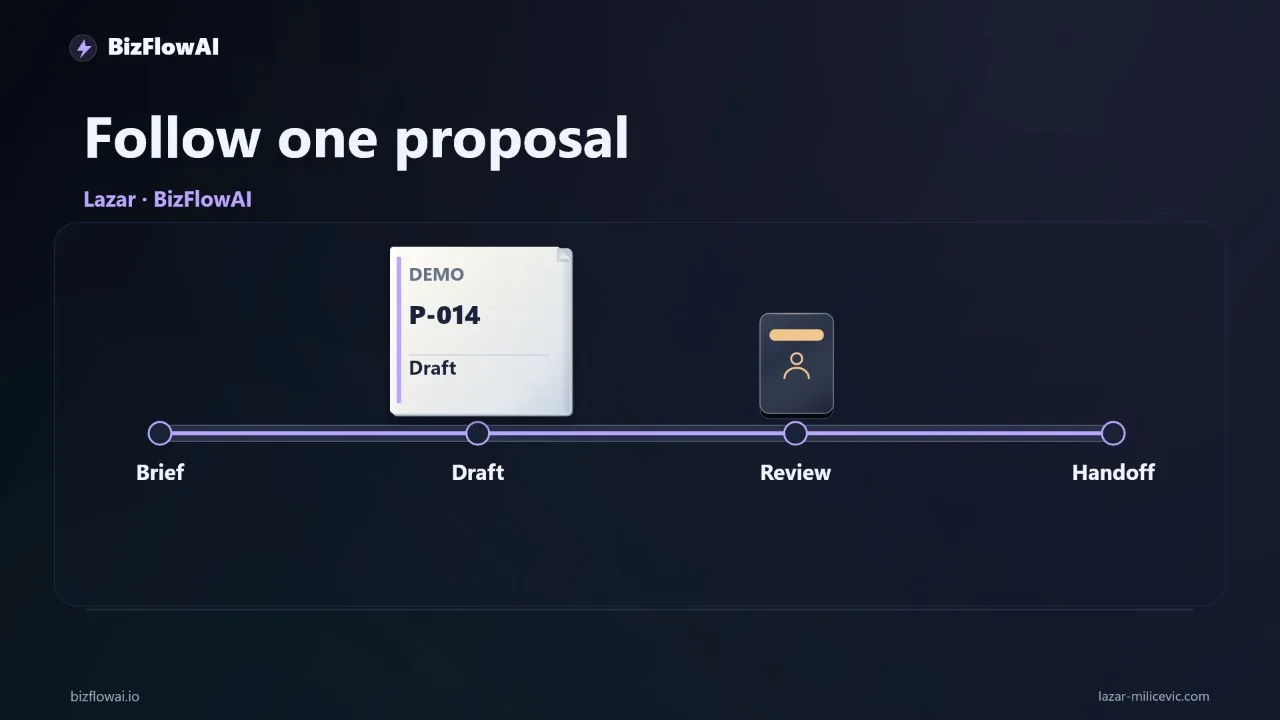
You get a prospect's email at 6 p.m. asking for a service package. Writing the proposal takes ten minutes. Finding your standard offer, copying requirements, checking the price, and confirming scope takes the rest of the evening. Gemini's October 29 update puts an editable document inside the chat, and it speaks to the first part of that evening. It does not touch the second.
Here's exactly what shipped, where it stops, and one controlled test you can run on a finished proposal before you change anything in your setup.
What Google actually shipped on October 29
Google announced that Gemini app users can generate, preview, and edit files directly in a chat, covering documents, PDFs, presentations, spreadsheets, and code (Google's announcement). Availability is for all users in all languages where the Gemini app is available.
The details that matter for a small business:
- PDF preview and editing works on web and mobile. Google Docs, Google Sheets, slide decks, Markdown, TXT, and code are web-only for now. Google has not said when those reach phones.
- You can edit inline. The Workspace Updates post describes manual or prompted edits, inline or in full screen, for PDFs, Google Docs, LaTeX, Markdown, and TXT files, with the option to upload them to Drive (Workspace Updates).
- Slides and sheets get a preview too. Decks can be previewed in chat, then opened in Google Slides or downloaded as PPTX or PDF. Spreadsheets can be generated from a prompt, previewed, and opened in Google Sheets.
- Word and Excel are a gap in what's confirmed. The October post lists Docs, Sheets, slides, Markdown, TXT, code, and PDF as editable. It does not list .docx or .xlsx. Those formats have been generatable and downloadable since the April 29 release (April announcement), but whether you can edit them in the preview is unconfirmed. If your clients live in Word, test that specific path.
One more thing the announcement is honest about by omission: Google's own worked example is a student turning handwritten lecture notes into an editable PDF study guide. There is no business example, and no proposal example. Everything in the rest of this post is a workflow I'm proposing, not a feature Google shipped.
What this does not give you
This is the part most coverage skips. The update gives you an editable artifact in the conversation. As far as I can tell, it does not give you a client handoff.
The pipeline looks like this:
| Step | Who or what does it | Covered by this update? |
|---|---|---|
| Read the prospect's email | You | No |
| Pull the approved offer and pricing rules | You | No |
| Draft the document | Gemini | Yes |
| Revise the document | Gemini or you, inline | Yes |
| Check scope, price, delivery wording | You | No |
| Approve commitments | You | No |
| Send to the client | You (Gmail) | No |
| Update the customer record | You (CRM) | No |
Of the eight steps, the update covers two. That's real progress on drafting and revision. It's also why the old complaint, "We tried ChatGPT, but it didn't actually integrate with anything", still applies to a faster draft. An editable file is a better artifact. The route between your Gmail, CRM, accounting, and docs still has to be defined by someone.
A few details also remain unconfirmed in Google's posts, and I'd treat them as open questions rather than assume answers:
- Where edited files are stored. The October post doesn't say how edits are saved in Drive. Under the April feature, nothing goes to Drive until you export or download it (per one independent write-up). Don't assume the doc you edited in chat is now sitting in your Drive. Export or download it before sending.
- File size limits, version history, and privacy handling for uploaded files. Independent coverage notes that Google's October post doesn't state any of these (ExplainX). Before you upload client emails, check Gemini Apps Help and your privacy settings.
- Admin control. According to the Workspace Updates post, there is no admin control for this feature, so Workspace admins can't switch it off separately. If you run a team, that's worth knowing before you set a policy.
- Pricing and plan requirements. Google's posts mention no paid plan, and its wording is "all users." One outlet claims only paid AI plan subscribers get the full benefit, which conflicts with Google's statement and is unconfirmed. Check what your own account shows.
The controlled test: one finished proposal, one revision
You don't need to rewire anything to learn whether this helps. Run a single controlled test on a proposal you already finished, so you have the correct answer to compare against.
Setup:
- Pick a completed proposal.
- Strip customer names, contact details, and anything confidential.
- Keep the original brief and your approved template.
Prompt:
Create a Google Docs proposal from this brief using the attached template.
Use only the supplied scope and prices.
Mark missing information as NEEDS REVIEW.
Do not invent dates, discounts, or commitments.
Include a checklist of unresolved questions.
Every clause in that prompt exists for a reason. "Use only the supplied scope and prices" blocks invented numbers. "Mark missing information as NEEDS REVIEW" turns a silent guess into a visible gap. "Do not invent dates, discounts, or commitments" covers the three things that cost you money if they slip through. The unresolved-questions checklist gives you the review list up front instead of making you discover it.
Then request one concrete revision:
Remove the optional SEO audit service and update every affected reference.
Afterward, inspect the scope section, the price, and the delivery wording. You're testing whether one change stays consistent across the whole document. That's exactly where manual copy-and-paste work tends to leave a stale reference behind: the line item is gone, but the total, the timeline, or the "what's included" paragraph still mentions it.
Scope your edits, then diff the rest
Reviewers who tested the feature recommend highlighting the specific section you want changed rather than making a whole-file request (iTechify). The reasoning is sound: a broad instruction like "make this more formal" can shift wording across the entire document, including parts you already approved.
For a proposal, that risk is concrete. Say you approved the pricing table and the payment terms, then asked for a friendlier tone in the intro. If the model rewrites "net 14" somewhere else in the file, you may not notice.
A cheap check that works regardless of tooling:
# Export the "before" and "after" versions as plain text, then diff them.
diff -u proposal_v1.txt proposal_v2.txt
Everything in that diff should map to a change you asked for. A line you didn't ask about showing up as modified is a flag, and it takes seconds to find. If you're exporting from Docs, download both versions as plain text first so formatting noise doesn't clutter the comparison.
For the test, I'd score it on four things:
- Did the revision propagate to every affected reference?
- Did anything you didn't ask about change?
- How many items sit in NEEDS REVIEW or the unresolved-questions list?
- Total time from starting the draft to an approved document, compared with your current process.
Write the numbers down. A fast first draft only counts if review doesn't eat the time you saved. If correcting the draft takes as long as writing it from your template, you've learned that cheaply, with no customer exposed.
Where your approval stays, and where automation would start
The workflow I'd actually run keeps three roles separate:
- You supply the commercial rules. Pricing, scope boundaries, what you'll never promise. These live in your template and your approved service descriptions, not in the model's head.
- Gemini creates and revises the document. Its job is the mechanical assembly.
- You approve commitments. Price, scope, and delivery dates are promises. A human signs off on them before the file leaves the building.
Sending and recordkeeping remain separate steps: emailing the file, logging it against the customer record, and creating the invoice later. None of those happen as a side effect of editing a doc in chat. If the test holds up, the next handoff to automate is the one with the clearest rule, usually "approved proposal → sent from Gmail → logged in the CRM." You'd keep the approval gate before the send. That's not a limitation to engineer around. It's the point at which a mistake becomes a client-facing commitment.
I'd hold off on building anything around the claim that Gemini beats ChatGPT or Copilot at this. That comparison is opinion from a single outlet, not something Google's announcement establishes. Judge it on your own proposal, with your own pricing rules.
Where this leaves your admin work
The document-generation piece is increasingly available in the tools you already use. The part this update leaves open is the defined, checked path from "client email" to "approved, sent, and recorded", and that path has to be built around your specific quoting and approval rules. I'm a senior engineer who builds AI automations that actually ship, and this is the kind of problem I work on at bizflowai.io.
Want more like this?
I publish practical AI automation content for solopreneurs and small teams.
Planning an AI automation project or need a second opinion on your architecture?
Lazar Milićević, senior engineer.
Visit bizflowai.io to learn more.
Frequently asked questions
What file formats can Gemini now generate and edit directly in chats?
According to The Verge's October 29 report, Gemini can generate, preview, and edit files within chats in several formats: PDFs, Google Docs, Google Sheets, slide decks, Markdown, plain text, and code. Availability began that day for all Gemini users. PDF previews and editing are explicitly confirmed on both web and mobile, so check other formats on the device you actually use.
Does Gemini's new file editing feature connect to my email, CRM, or approval process?
No, the announcement alone does not establish an automated connection to your inbox, customer records, or approval process. Gemini can now produce an editable document inside the conversation, but sending it and updating the customer record remain separate steps unless you deliberately connect them. Gmail, CRM, accounting, chat, and docs still need a defined route between them.
How do I test Gemini for writing business proposals?
Take a completed proposal and remove customer names, contact details, and confidential information. Keep the original brief and your approved template. Ask Gemini to create a Google Docs proposal using only the supplied scope and prices, mark missing information as NEEDS REVIEW, and avoid inventing dates or discounts. Then request one revision, such as removing an optional service, and check that scope, price, and delivery wording stay consistent.
Why does editable file generation matter for small businesses?
It puts the proposal closer to the conversation where you develop it, shortening the path from an agreed brief to a usable document. Whether it saves meaningful time depends on how much checking and correction the document needs. A quick first draft only has value if the review step doesn't consume the time saved, so measure drafting time, corrections, and unresolved questions against your current process.
Who should approve an AI-drafted proposal before it goes to a customer?
The business owner should. In the workflow described, the owner supplies the commercial rules, Gemini creates and revises the document, and the owner checks the scope, confirms the price, and approves commitments. Only after that approval does the proposal go to the customer. The AI drafts the document, but a human remains responsible for pricing and commitments.