Free Website Audit Report Generator for 2026
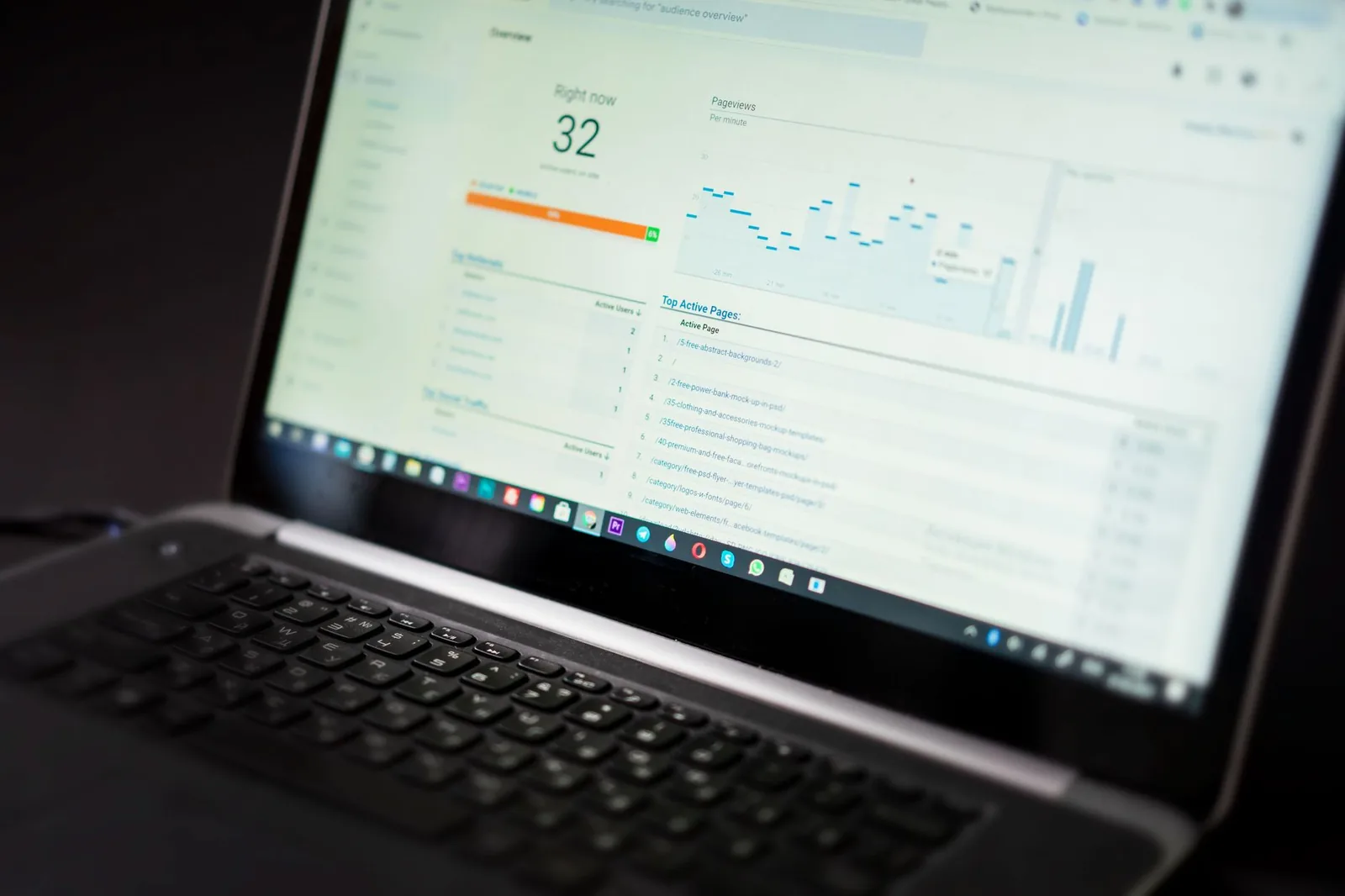
Your site loads fine on your laptop. Then a client asks why their friend's phone shows a blank screen for 4 seconds, why the contact form ranks below a competitor's blog post, and why the checkout button "looks weird" on iPad. You've got three tabs open — PageSpeed, Search Console, and a random SEO tool that wants $99/month — and no unified answer.
A website audit report generator collapses that mess into a single diagnostic pass. In 2026, the good ones don't just dump raw Lighthouse scores; they correlate speed regressions with conversion drops, cross-check indexation against traffic, and hand you a prioritized fix list. Here's how they actually work, what they measure, and how to pick (or build) one that doesn't waste your morning.
What a website audit report generator actually does
An audit generator crawls your site, runs a battery of automated checks across performance, SEO, accessibility, security, and UX, then compiles the findings into a single report — usually PDF or shareable HTML — with a severity ranking and a suggested fix order. The good ones do this in under 3 minutes for a small site. The bad ones spend 20 minutes producing a 90-page PDF nobody reads.
Under the hood, most tools chain together a small set of open standards:
- Lighthouse / PageSpeed Insights API for Core Web Vitals and performance
- A headless crawler (Playwright, Puppeteer, or a custom Chromium fork) for rendered-page analysis
- Sitemap + robots.txt parsing for indexation and crawlability
- Structured data validators for schema.org markup
- axe-core or Pa11y for accessibility (WCAG 2.2)
- HTTP response analysis for redirect chains, cache headers, and TLS config
A modern report generator layers an LLM on top of that raw data to translate "LCP: 4.8s on mobile" into "Your largest image on the homepage is 2.1MB and loading before your hero text — compress it or lazy-load and you'll likely hit the Google 'good' threshold." That translation is where 2026 tools are pulling ahead of the 2022 dashboard era.
The five metric families every audit must cover
Not all audit tools measure the same things. Before you trust one, check that it covers all five families below. If it's missing security or accessibility, it's a marketing report, not an audit.
| Family | What's measured | Why it matters |
|---|---|---|
| Performance | LCP, INP, CLS, TTFB, total page weight, render-blocking resources | Core Web Vitals are a ranking signal and directly correlate with bounce rate |
| SEO | Title/meta, canonical tags, sitemap health, indexation coverage, internal linking, structured data | Determines whether Google can find, understand, and rank your pages |
| Accessibility | WCAG 2.2 AA violations, contrast ratios, alt text, keyboard navigation, ARIA misuse | Legal exposure (ADA lawsuits are up) plus real user impact |
| Security & trust | HTTPS config, HSTS, CSP headers, mixed content, exposed .git/.env, outdated JS libraries | One CVE in an old jQuery version can tank buyer confidence |
| UX & conversion | Form usability, CTA visibility, mobile tap targets, session-blocking modals, checkout friction | The only family that maps directly to revenue |
The UX/conversion family is the one most free tools skip because it's hard to automate. In 2026, LLM-driven audit tools can partially close that gap by inspecting page layouts and describing conversion friction ("Your primary CTA is below the fold on 375px viewports and shares color with three secondary buttons").
How the crawl actually works — a look under the hood
If you want to understand what you're getting, here's the rough shape of a modern audit pipeline. This is a simplified version of the kind of orchestration flow we run internally:
# Simplified audit pipeline
import asyncio
from playwright.async_api import async_playwright

async def audit_page(url):
    async with async_playwright() as p:
        browser = await p.chromium.launch()
        context = await browser.new_context(
            viewport={"width": 375, "height": 812},  # mobile-first
            user_agent="AuditBot/2.0"
        )
        page = await context.new_page()

        # Capture network + performance
        metrics = {}
        page.on("response", lambda r: metrics.setdefault(
            "responses", []).append({
                "url": r.url, "status": r.status, "size": r.headers.get("content-length")
            }))

        await page.goto(url, wait_until="networkidle")

        # Extract Core Web Vitals via injected JS
        cwv = await page.evaluate("""() => ({
            lcp: performance.getEntriesByType('largest-contentful-paint').pop()?.startTime,
            cls: performance.getEntriesByType('layout-shift')
                 .reduce((s, e) => e.hadRecentInput ? s : s + e.value, 0)
        })""")

        # Run axe-core for accessibility
        await page.add_script_tag(url="https://cdn.jsdelivr.net/npm/axe-core@4/axe.min.js")
        a11y = await page.evaluate("axe.run()")

        # SEO extraction
        seo = await page.evaluate("""() => ({
            title: document.title,
            metaDesc: document.querySelector('meta[name=description]')?.content,
            h1Count: document.querySelectorAll('h1').length,
            canonical: document.querySelector('link[rel=canonical]')?.href,
            jsonLd: [...document.querySelectorAll('script[type="application/ld+json"]')]
                    .map(s => s.textContent)
        })""")

        await browser.close()
        return {"cwv": cwv, "a11y": a11y, "seo": seo, "network": metrics}
Multiply that across every URL in your sitemap (deduplicated, capped at maybe 500 for a free tier), aggregate the findings, cluster similar issues, and you have the raw material for a report. The generator layer then scores each finding by:
- Impact: How much does fixing this move a real KPI?
- Effort: Can a non-dev fix it, or does it need a code change?
- Reach: How many pages are affected?
That impact/effort/reach triangle is what separates a useful report from a 200-issue dump.
The LLM layer: turning raw data into a fix list
Here's the shift from 2023-era audits to 2026 audits. Old tools gave you this:
Issue: meta description missing on 47 pages
Severity: medium
A modern LLM-augmented tool gives you this:
Issue: 47 product pages are missing meta descriptions. These pages currently rely on Google auto-generating snippets, which pulls from your
<p class="disclaimer">text on 31 of them — meaning your search snippets read "Prices subject to change without notice" instead of the product benefit. Fix: add 150–160 character descriptions to the 8 highest-traffic pages first (listed below). Estimated CTR uplift based on your current impression data: modest but measurable on head terms.
The LLM isn't guessing. It's cross-referencing the crawl data with Search Console impressions, the actual DOM content, and known SEO heuristics. The prompt structure roughly looks like this:
system: |
  You are a technical SEO analyst. Given audit findings and Search Console data,
  produce prioritized recommendations. Never invent metrics. If data is missing,
  say so. Group findings by root cause, not by URL.

context:
  crawl_findings: {...}
  gsc_data: {...}  # optional but 10x better with it
  business_type: "ecommerce"
  team_size: 3

instructions:
  - For each issue, produce: impact, effort (1-5), affected_urls, fix_steps
  - Sort by impact/effort ratio
  - Flag any issue that requires developer intervention vs marketing team
  - Output as JSON matching schema below
The output is deterministic enough to render into a PDF template. It's also the part where cheap tools fall apart — bad prompts produce generic "improve your page speed" advice that's worthless.
What separates a useful free tool from a lead-gen trap
Most "free website audit" tools are lead capture pages disguised as SaaS. Here's how to spot the difference in under 30 seconds:
Red flags:
- Requires your email before showing any results
- Report is 40+ pages with 90% filler ("Why SEO matters in 2026...")
- "Overall score: 47/100" with no explanation of how that number was calculated
- Same recommendations regardless of what site you audit
- Locks specific fixes behind "upgrade to Pro"
- No mention of what data was actually fetched vs inferred
Green flags:
- Shows results before asking for email (or never asks)
- Report lists the specific URLs, timestamps, and checks that ran
- Distinguishes between "we measured this" and "we recommend this based on patterns"
- Prioritized fix list, not a wall of severity badges
- Downloadable in a format your team actually uses (PDF for stakeholders, CSV for devs)
- Tells you what it didn't check (e.g., "we only crawled the first 100 URLs from your sitemap")
The honest tools tell you their limits. A free audit that scans 20 pages and admits it is more useful than a "comprehensive" audit that hallucinates issues on pages it never fetched.
Reading the report: which issues to fix first
You'll open your first audit and see 60–200 findings. Don't fix them in order. Use this triage sequence:
Tier 1 — fix this week (revenue impact, low effort):
- Broken forms or checkout errors
- 404s on high-traffic URLs (check GSC for impressions)
- Mixed content warnings on payment pages
- Missing or broken structured data on product/service pages
- LCP > 4s on your top 5 landing pages
Tier 2 — fix this month (compounding SEO/UX gains):
- Missing meta descriptions on indexed pages with impressions
- Accessibility violations affecting primary user flows
- Redirect chains longer than 2 hops
- Missing alt text on content images (not decorative)
- Orphaned pages with no internal links
Tier 3 — fix when convenient (hygiene, low urgency):
- Trailing slash inconsistencies
- Minor CLS on non-conversion pages
- WCAG AAA (not AA) violations
- Cosmetic markup issues
Tier 4 — ignore or defer:
- "Optimize CSS delivery" on pages with < 100 monthly visits
- Best-practice warnings on admin/staging pages
- Anything the tool flagged with "may affect" but no measured impact
The Tier 1/Tier 4 distinction is where teams waste weeks. I've seen a 2-person SaaS team spend 3 days optimizing Lighthouse scores on their /legal/privacy page while their signup form was silently failing on Safari. An audit report that doesn't sort issues by business impact is just noise.
Comparing common audit tools in 2026
Here's a rough shape of the market. Feature availability shifts constantly — check current pricing pages before committing.
| Tool type | Best for | Trade-off |
|---|---|---|
| PageSpeed Insights (Google) | Free, authoritative CWV data on a single URL | No multi-page crawl, no SEO/accessibility, no report export |
| Lighthouse CI | Dev teams wanting audits in CI/CD | Requires engineering setup; no business-facing report |
| Screaming Frog (free tier) | SEO deep-dives, up to 500 URLs | Steep learning curve; desktop app; no LLM prioritization |
| Ahrefs / Semrush site audit | Full-featured SEO audit with backlink context | Paid; overkill for solo operators |
| AI-native audit generators | End-to-end report with prioritized fixes | Newer category; quality varies wildly by vendor |
| Custom-built (Playwright + LLM) | Full control, agency white-labeling | You maintain it |
For a solopreneur or small team, the sweet spot in 2026 is an AI-native tool that runs the audit, produces a shareable report, and hands you a fix list you can act on this week — without a five-figure annual contract.
How BizFlowAI approaches this
We built our audit generator because clients kept asking us the same question: "Can you look at my site and tell me what's actually broken?" That's a 4-hour manual job done well, and nobody wants to pay for 4 hours. So we automated the diagnostic pass. You paste a URL, we crawl up to a defined page cap, run the five metric families, and generate a downloadable PDF with issues sorted by impact/effort — not by severity badge count. The LLM layer references the actual DOM and network responses from your site, not generic playbooks, so the recommendations name specific URLs and specific fixes.
What we don't do: dump 200 findings and call it a day. The report is designed to be scanned in 5 minutes and acted on in a week. If you want the deeper follow-up — Search Console integration, competitor benchmarking, or a weekly re-audit that alerts you when something regresses — that's where the platform picks up. But the free diagnostic report is genuinely free and genuinely useful on its own; that's the whole point.
What to do after the report lands
An audit is a snapshot. Sites drift. Here's the rhythm that actually keeps a small site healthy without a full-time SEO hire:
- Run a full audit quarterly. Not monthly — you won't have fixed enough for the delta to matter.
- Monitor Core Web Vitals weekly via GSC's CWV report. That's free and Google already does it.
- Set up a change-triggered mini-audit. When you push a major site change, run the audit again the next day. Regressions caught in 24 hours cost 10x less to fix than regressions caught in 90.
- Track one metric per quarter. Not all of them. Pick "get LCP under 2.5s on all product pages" or "eliminate all Tier 1 accessibility issues" and finish it before starting the next.
The teams that get the most out of audit reports treat them like a doctor's checkup, not a to-do list. You're looking for the two or three things worth acting on, not chasing every finding to zero.
Work with BizFlowAI
If you'd rather have this built for you, that's what we do: production AI automation for solo founders and small teams — agents, integrations, and document pipelines that actually ship.
Book a free discovery call — 30 minutes, we map the highest-ROI automation in your workflow. No pitch deck, just engineering.
More guides like this on the BizFlowAI blog.
Frequently asked questions
What does a website audit report generator actually do?
A website audit report generator crawls a site, runs automated checks across performance, SEO, accessibility, security, and UX, then compiles the findings into a single ranked report. It typically uses Lighthouse for Core Web Vitals, a headless crawler like Playwright, axe-core for accessibility, and structured data validators. Modern 2026 versions add an LLM layer that translates raw metrics into prioritized fix steps. Output is usually a PDF or shareable HTML with severity and effort ratings.
Which metrics must a complete website audit cover?
A complete audit must cover five metric families: performance (LCP, INP, CLS, TTFB), SEO (titles, canonicals, sitemaps, structured data), accessibility (WCAG 2.2 AA violations), security (HTTPS, HSTS, CSP, outdated libraries), and UX/conversion (CTA visibility, mobile tap targets, form usability). If a tool skips accessibility or security, it is a marketing report, not an audit. UX and conversion checks are the hardest to automate but the most tied to revenue.
How do LLM-augmented audit tools differ from older SEO dashboards?
Older tools output raw issues like 'meta description missing on 47 pages, severity medium.' LLM-augmented 2026 tools cross-reference crawl data with Search Console impressions and DOM content to explain root cause, business impact, and specific fix steps. They group findings by cause instead of by URL and rank them by impact-to-effort ratio. The result is a short prioritized action list instead of a 200-issue dump.
How do I spot a fake free website audit tool?
Red flags include requiring your email before showing results, 40+ page reports padded with generic filler, opaque overall scores with no methodology, identical recommendations regardless of the site, and locking real fixes behind a paywall. Legitimate free tools show results first, list the exact URLs and checks run, distinguish measured data from inferred recommendations, and disclose what they didn't crawl. A prioritized fix list beats a wall of severity badges.
How does a modern audit pipeline technically work?
It launches a headless Chromium browser (usually via Playwright) with a mobile viewport, navigates to each URL, and captures network responses, Core Web Vitals from the Performance API, and DOM data for SEO tags. It injects axe-core to run accessibility checks and parses JSON-LD structured data. Findings across all URLs are deduplicated, clustered by root cause, and scored on impact, effort, and reach. An LLM layer then generates the human-readable prioritized report.