DeepSeek Opens DeepInfer. Should You Run Your Own AI?
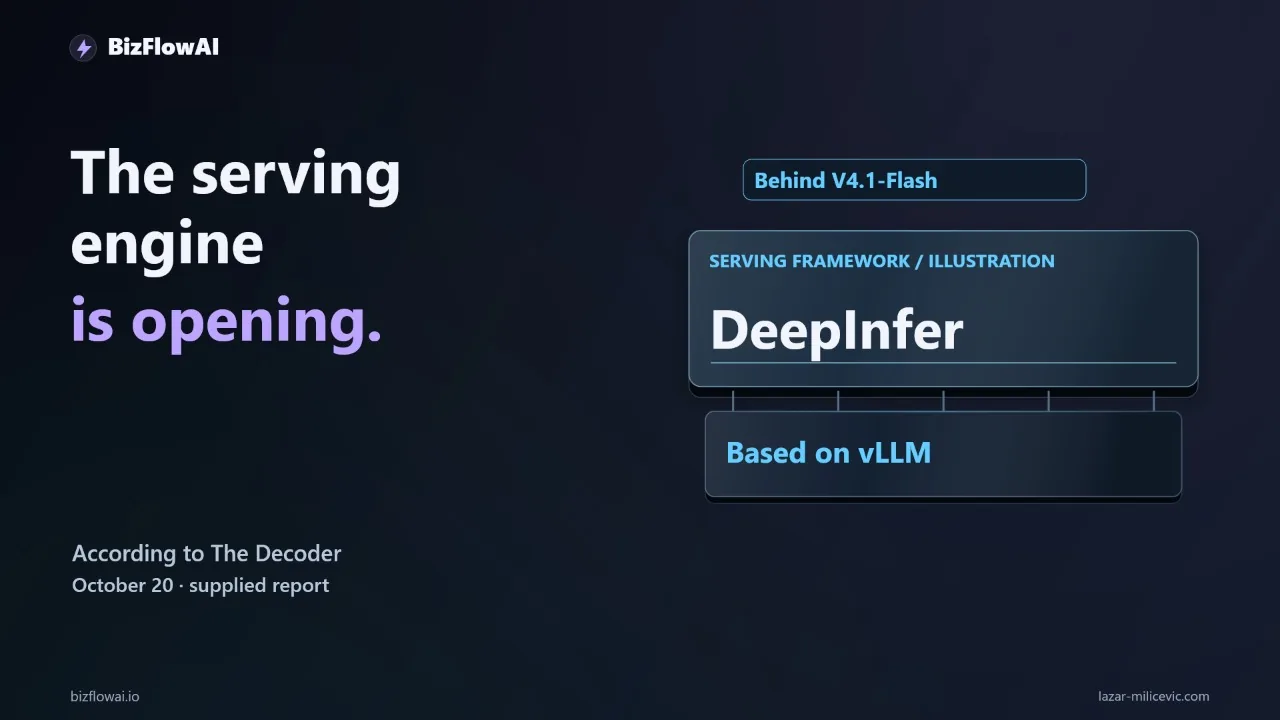
You read that DeepSeek open-sourced its inference engine, and now you're wondering whether to stop renting AI and start running it. For a small team losing hours to email triage and lead follow-up, the honest answer starts with hardware requirements most coverage skips. Here's how to decide, using one concrete workflow and numbers from the release itself.
What DeepSeek Actually Released
DeepSeek open-sourced DeepInfer on October 20, 2026. It is the inference framework DeepSeek uses to serve its V4.1-Flash model, and the code is on GitHub under the Apache 2.0 license, according to The Next Web's report. DeepSeek says the aim is to help the community lower compute costs.
An inference engine is the software that loads a trained model and serves its responses. A better engine gets more work out of the same hardware. It does not make the model smarter at judging a sales lead, and it does not connect anything to your CRM.
The scope of the first release matters more than the headline:
| Detail | What the release says |
|---|---|
| Supported model | DeepSeek-V4.1-Flash only; future models planned |
| Supported hardware | NVIDIA SM100 (Blackwell) GPUs and Huawei Ascend 950 NPUs |
| Build requirements | Linux, GCC 13+, Python 3.12, CUDA 13 or CANN 9.2 |
| License | DeepInfer: Apache 2.0. Model weights: MIT |
| Mode | Offline inference only |
The hardware and requirements details come from MarkTechPost's write-up and The New Stack. I haven't read the GitHub README line by line myself, so check it before you plan anything.
Two phrases carry most of the weight. "Offline inference only" and "one model" mean this is not a drop-in replacement for an API endpoint.
What's Missing Between DeepInfer and a Working Service
DeepInfer's first release does not include a KV cache system, prefill/decode disaggregation, or load balancing across data-parallel replicas, per this release breakdown. Those are the parts a production online service needs. Using DeepInfer means building or sourcing those layers yourself.
That changes what "run your own AI" means for a small team. You are not downloading a server. You are getting a high-performance engine core and a to-do list.
For comparison, here is what an API call gives you for free:
- Request queuing and concurrency handling
- Caching of repeated prompt prefixes (billed at a discount on a cache hit)
- Uptime, monitoring, and failover
- Model updates without a redeploy
With a self-hosted engine, each of those becomes your job or your vendor's job. If you're a solopreneur or a five-person agency, "your vendor" is usually you at 9 p.m.
The Hardware Floor
DeepSeek's deployment guidance says the smallest efficient deployment unit is 64 prefill GPUs plus 64 decode GPUs, 128 in total. A 1-prefill plus 1-decode setup is possible but not efficient (source).
The published benchmark charts used 4 SM100 GPUs for prefill and 64 for decode at a 131,072-token context. That is not the model's maximum context, and the numbers are self-reported (source). Don't extrapolate those charts to a small business workload. They describe a different job at a different scale.
Now the back-of-envelope math. B200 (SM100-class) rental prices vary widely. According to getdeploying.com's tracker, specialist clouds start around $5.99 per GPU-hour, hyperscalers go up to $16.11, and the October 21, 2026 median on-demand price was $7.99. Other trackers disagree by a few dollars depending on date, so treat any hourly figure as a dated range.
Illustrative math, using that median:
128 GPUs x $7.99/GPU-hour  = ~$1,023/hour
$1,023/hour x 24 hours     = ~$24,500/day
That is the minimum efficient DeepSeek-style deployment, before KV cache storage, load balancers, and engineering time. I'm not claiming a small shop would run exactly this. I'm showing you the shape of the number DeepSeek's own guidance implies.
One more constraint. The model's weights are roughly 510 GB per one reviewer, and a DEV Community review notes an RTX 5090 (SM120) is not a supported target. H100/H200 and consumer GPUs are not listed as supported either. "Not listed" is an absence in the README, not a statement that it's impossible, but it's not a foundation to plan a business on.
What the Hosted API Costs for the Same Model
The model behind DeepSeek's API name deepseek-flash is V4.1-Flash. DeepSeek's changelog says it was released 2026-09-10, updated to V4.1-Flash-1017 on 2026-10-17, and that API pricing and the calling method did not change with that update.
According to Morph's pricing breakdown, off-peak rates are:
- $0.15 per 1M input tokens (cache miss)
- $0.003 per 1M input tokens (cache hit)
- $0.60 per 1M output tokens
- Context window: 1M tokens
Peak rates are double ($0.30, $0.006, $1.20). Per deepseek.ai's pricing page, peak applies 01:00-04:00 and 06:00-10:00 UTC, Monday to Friday, with peak/off-peak billing starting August 16, 2026. I couldn't retrieve DeepSeek's official pricing page directly; these rates come from third-party sites that cite it and agree with each other, and older pages still show stale prices. Confirm on DeepSeek's own page before you budget.
Here's illustrative math with round numbers, clearly an example and not a measurement. Say a lead email plus extraction instructions is about 1,500 input tokens and the structured output is about 300 tokens:
Input:  1,500 tokens x $0.15 / 1,000,000 = $0.000225
Output:   300 tokens x $0.60 / 1,000,000 = $0.000180
Per email (off-peak, cache miss)         = ~$0.0004

1,000 emails/month                       = ~$0.41
Even if my token counts are off by 10x, you're looking at a few dollars a month. A single hour of the 128-GPU configuration above costs roughly 2,500 times that. For a lead-follow-up workload, API inference is not where your money goes. Your time is.
When Self-Hosting Starts to Make Sense
Self-hosting becomes worth evaluating when at least one of these is true. None of them is "I read that it's open source."
- Data can't leave your environment. Regulated or contractually restricted data is a legitimate reason to run inference yourself. It's a compliance reason, not a cost reason.
- Your volume is large and steady. The fixed cost of a cluster only amortizes if the hardware stays busy. A lightly used server costs more per completed job than an API.
- You have someone who owns it. Deployment, monitoring, updates, and recovery when something stops working all land on a person.
- You need the specific model. DeepInfer supports V4.1-Flash and nothing else today.
If none apply, the sensible default is to keep renting inference and spend your effort on the part that actually finishes work: the integration and the rules around it. Since the V4.1-Flash-1017 weights are MIT-licensed and published on Hugging Face and ModelScope (MarkTechPost), you keep a self-hosting exit if your situation changes. That optionality is the real, defensible benefit of this release for a small team.
Run This Test Before You Move Anything
The workflow I'd test is narrow: an inquiry arrives by email. An LLM extracts the company name, requested service, deadline, and missing information. The automation checks the CRM for an existing contact, creates a draft record, and prepares a reply. A person approves the outbound message. Ambiguous inquiries go into an exception queue.
Keep the boundaries fixed no matter what serves the model: the model proposes fields, the integration writes the draft, the human authorizes the send.
Step one is an evaluation set. Pull twenty historical lead emails. Strip sensitive information unless you have an approved environment for processing it. For each, write down the correct fields, the right next action, and whether a human must review it. Include a duplicate inquiry, an unclear deadline, and a message that isn't a lead.
# eval_set.py - minimal harness for comparing two inference setups
import json, time

EXPECTED = json.load(open("expected.json"))  # your hand-labeled answers

def score(extract_fn, emails):
    results = []
    for email in emails:
        start = time.time()
        got = extract_fn(email["body"])  # returns dict of proposed fields
        elapsed = time.time() - start
        want = EXPECTED[email["id"]]
        fields_ok = sum(got.get(k) == v for k, v in want["fields"].items())
        results.append({
            "id": email["id"],
            "fields_correct": fields_ok,
            "fields_total": len(want["fields"]),
            "needs_review_correct": got.get("needs_review") == want["needs_review"],
            "seconds": round(elapsed, 2),
        })
    return results
Run it against your current setup in draft mode, so the test cannot contact customers or change live records. Record field accuracy, response time, retries, and how much correction each result needs. Your result should read like this: twenty inquiries processed, this many accepted, this many corrected, this much operator time. Fill in observed numbers.
If you later evaluate a self-hosted DeepInfer deployment, check the official repository first for licensing, supported models, and deployment requirements. Then run the same twenty emails with the same acceptance rules. That gives you a real comparison instead of two impressive demos doing different jobs.
One failure mode the test catches that speed never will: business rules. If one client needs a purchase-order reference before a quote can move forward, a faster engine won't supply that rule. Without validation, a wrong reference becomes a manual data-entry mistake with an audit trail attached. Put that rule in code, outside the model.
Where the Real Work Sits
Most of what makes the lead workflow reliable has nothing to do with which engine serves the model: the email connection, the CRM lookup, duplicate detection, validation rules, the approval step, the exception queue. In my opinion, the model call is a small part of that system, which is why I'd keep the model endpoint swappable behind one function and spend the effort on the rest.
My take on DeepInfer: it's worth watching because serving efficiency can widen the options available to builders, and an Apache 2.0 engine is a real asset to the ecosystem. But owning inference is a responsibility, not a business milestone. The winning setup for a small team is the one that reliably turns an inquiry into an accurate, reviewable CRM draft. DeepInfer earns a place in your stack when it improves that system enough to justify operating it, and with a 128-GPU efficiency floor, that bar sits well above most small-business workloads today.
Why bizflowai.io helps with this
At bizflowai.io, the focus is practical AI automation for solopreneurs and small teams. The first step is usually the evaluation set described above: measure what your current setup does on your own emails before changing anything.
Want more like this?
I write about practical AI automation and GenAI engineering for solopreneurs and small teams.
Planning an AI automation project or need a second opinion on your architecture?
Lazar Milićević, senior engineer.
Visit bizflowai.io for our services, case studies, and AI consulting.
Frequently asked questions
What is DeepInfer?
According to The Decoder's October 20 report, DeepInfer is an inference framework that DeepSeek is open-sourcing. It powers the company's V4.1-Flash model, is based on vLLM, and is reported to reduce compute costs and energy use when serving models. The report supplied no benchmark figures, hardware requirements, or license terms, so exact savings are unknown.
What is an inference engine?
An inference engine is the software that runs a trained AI model and serves its responses. Improving the engine can make the same hardware more useful. It does not automatically make the model smarter, such as better at judging a sales lead, and releasing an engine does not mean every model or deployment configuration is supported.
How do I test whether a new inference engine like DeepInfer works for my business?
Build a small evaluation set first. Pick twenty historical lead emails, remove sensitive data, and record the correct fields, next action, and whether a human must review each. Include a duplicate, an unclear deadline, and a non-lead. Run them through your current setup in draft mode, record accuracy, response time, retries, and corrections, then rerun the same examples on the new engine.
Why does a faster inference engine not fix business automation problems?
An inference engine only changes how a model is served. It does not supply business rules or connections between tools. For example, if a client needs a purchase-order reference before a quote can proceed, the engine will not know that. You still need integrations, validation, and human approval, or a wrong value can become a manual data-entry error with an audit trail.
When should I self-host AI inference instead of using an API?
Self-hosting may help if a supported deployment can process your repeated extraction and drafting jobs more efficiently. But a lightly used server can cost more per completed job than an API, and you take on deployment, monitoring, updates, and recovery. Compare observed results from a small test before committing, and check licensing, supported models, and hardware requirements first.