Claude Is Becoming a Workspace. Which Apps Stay?
▶ Watch the video version of this article
A client asks for more work. You check the approved scope, work out the impact, update a spreadsheet, create a delivery task, and tell the team. Claude’s new workspace tools may make parts of that process easier, but they do not prove the handoff is complete—or that you can cancel any of the apps involved.
The useful question is narrower: Which work can move into Claude, and which system still needs to own the record? Here’s how to answer it before changing your subscription stack.
What Claude’s workspace announcement actually changes
Claude now offers more places to work inside the conversation: Sheets for collaborative spreadsheets, Whiteboards for visual planning, and Claude Data for dashboards. Interactive connectors can also display supported apps alongside a conversation. That brings review and coordination closer together; it does not automatically connect every step of a business workflow.
In its November 10, 2026 announcement, Anthropic introduced Whiteboards and Sheets in beta and made Claude Dashboards generally available under the name Claude Data. All three are available on paid Claude plans, not the Free plan.
Availability has another layer: what is enabled for your organization. Anthropic says Sheets and Whiteboards are on by default for Team organizations but off by default for Enterprise organizations. The expanded interactive connector views are rolling out on web and desktop, so an account may not have them yet. Before planning a workflow around any feature, check that you can open it, that your organization permits it, and that the connector exposes the action you need.
Think of the announcement as a change to the work surface, not a migration of ownership:
| Work | Potential place to review or prepare it | Record that may still need to own it |
|---|---|---|
| Explore a scope change | Claude conversation or Whiteboard | Approved client scope |
| Model the impact | Claude Sheet | Approved commercial terms |
| Review performance | Claude Data | Connected source data |
| Assign delivery | Interactive project-app connector | Saved project task |
| Bill for approved work | Claude can help prepare information | Accounting system |
The right-hand column is a design choice for your business, not a claim that Claude cannot assist with those tasks. An interface can bring information together while the authoritative records remain elsewhere.
Can Claude Sheets replace your existing spreadsheets?
Claude Sheets is suitable for collaborative, bounded spreadsheet work—not a blanket replacement for Excel or Google Sheets. Claude and teammates can edit the same cells, and formulas can work across tabs. But its documented feature limits matter if your spreadsheet is part of an established operating process.
According to Anthropic’s Sheets guide, a Sheet can contain up to 100,000 cells. It can import CSV, Google Sheets, and Excel data, then export as .xlsx or CSV. Those paths make it practical to test an existing model without immediately abandoning its source file.
The same guide says Sheets does not yet support pivot tables, macros, VBA, Power Query, or DAX. It also cannot pull live data from connected apps, and a Claude Sheet cannot serve as a Claude Data dashboard source. Those are workflow boundaries, not minor formatting differences.
For a small agency, a Sheet could be useful for drafting the impact of a proposed change:
| Item | Existing approved scope | Proposed change | Needs approval? |
|---|---|---|---|
| Deliverables | Current scope document | Additional landing pages | Yes |
| Deadline | Current commitment | Client requests same deadline | Yes |
| Price | Approved agreement | Not yet agreed | Yes |
Claude can help assemble and inspect this working view. The Sheet should not turn “same deadline” into an approved delivery commitment or infer a price the client has not accepted. Keep the approved scope and commercial decision in the system your team already treats as authoritative.
The test for keeping your existing spreadsheet app is straightforward: open a real file you rely on, identify the features it uses, and try the same work in a Claude Sheet. If the process depends on an unsupported feature or live connected-app data, keep the existing tool for that process. If it is a self-contained working sheet, Claude may reduce the amount of copying you do during review. Test the export too; a useful working view is less useful if the next person cannot continue the job.
Where Whiteboards and Claude Data fit—and where they stop
Whiteboards are for working through an idea visually; Claude Data is for viewing and exploring connected data. Neither should be mistaken for a system that automatically keeps every client, project, and financial record synchronized.
Claude Whiteboards supports live collaboration and can be sent to Lucid, Miro, or Zoho Vani for continued work. At launch, however, Whiteboards does not use context from connected apps. If you sketch a revised delivery process, do not assume the board has read the latest client task or agreement. Give it the relevant inputs, and have a person check the result against the records.
That suggests a sensible split. Use a Whiteboard to compare proposed approaches or map who approves a scope change. Keep the final commitment in your project or client system. If your team’s visual work needs to continue in another app, the send-to-app path is worth testing before you remove that app.
Claude Data has a different requirement: it needs a connected data source. Anthropic lists data warehouses and connected apps such as Salesforce as possible sources. Claude Data is generally available, while certified queries and live sharing remain in beta.
Two details deserve an operational check before you use a dashboard for decisions:
- Refresh behavior: The help guide says dashboard data refreshes when someone opens the dashboard and a refresh is due; it does not refresh on a schedule. Do not treat an unopened dashboard as a background monitoring job.
- Access: With live sharing enabled, viewers may see results obtained through the sharer’s data-source access even if those viewers lack access to that source. Review the sharing settings and the underlying data before distributing a dashboard.
A dashboard can make a number easier to examine without becoming the source of that number. For reporting, keep track of the connected source, who can see the result, and when it was last refreshed. For visual planning, keep track of which inputs were supplied to the board. These are separate checks because the two products solve separate problems.
Test an interactive connector with one approved handoff
An interactive connector is worth keeping in a workflow only if it can perform the required action and you can verify the saved result. Showing an app next to Claude is helpful. It is not evidence that a task was created correctly, an approval was recorded, or the destination accepted the change.
Anthropic says supported apps can open beside a Claude conversation or full-screen. According to its interactive connectors guide, what Claude can change depends on the actions the app’s developer exposes, and users approve those actions. Check the specific connector rather than assuming every app supports the same operations.
Here’s exactly how I would test this with a client scope change. The YAML below is an acceptance-test note, not a Claude configuration file or a claim that a connector supports these fields:
trigger: client requests additional landing pages
inputs:
  - original client request
  - current approved scope
proposal:
  - draft delivery task
  - link to original request
approval:
  owner: person authorized to approve price and deadline
completion:
  - destination returns a task identifier
  - saved task matches the approved version
Start with a sample request and a draft destination. Have Claude identify what changed and prepare a proposed task. Then deliberately remove a material detail—such as the deadline—from the sample. The correct behavior is to flag the gap for review, not invent a commitment.
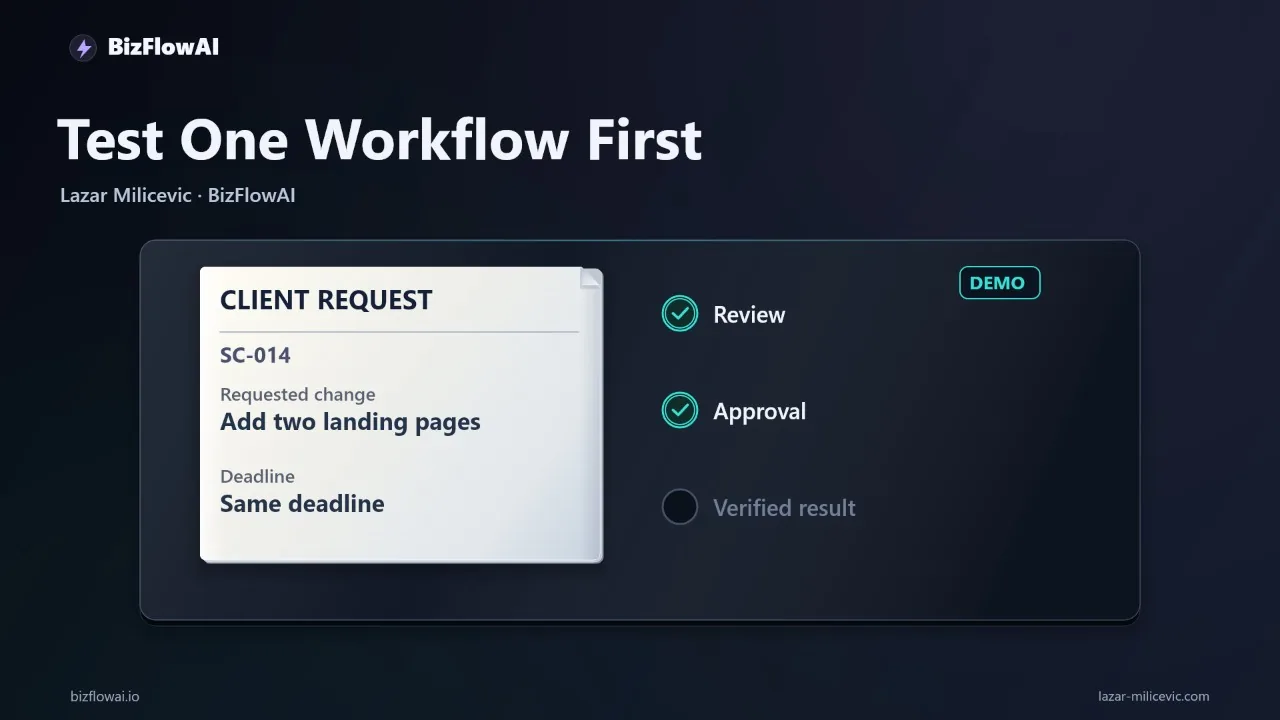
Next, test the approval boundary. A client message saying “Add two landing pages, same deadline” is a request, not proof that your business has approved the price or can meet the date. Someone with authority must confirm the commercial terms. Record that decision in the place your team uses for approvals.
Finally, inspect the destination. Did the connector expose a create or update action? Did the user approve it? Did the app return an identifier? Open the saved task and compare its scope, deadline, assignee, and source link with the approved version. If any of those checks requires manual work, write that down. The workflow may still be useful—but you now know what it actually automates.
This test is more informative than asking whether Claude “integrates” with a project app. It distinguishes reading, drafting, approving, writing, and verifying. It also gives you a repeatable way to assess a connector without trusting a polished demonstration.
Decide what to cancel only after measuring the remaining work
Keep an existing app when it owns a record, provides a required capability Claude lacks, or handles a handoff you cannot verify through Claude. Consider removing or reducing an app only after a real workflow runs reliably without it. A feature list alone cannot establish a saving.
There is a subscription cost to include in that decision. Anthropic lists Claude Pro at $20 per month when billed monthly, or $200 billed upfront annually. Team standard seats are listed at $25 per seat per month when billed monthly, or $20 per seat per month when billed annually. Check the plan and organization settings relevant to your team before comparing those prices with an app you might remove.
Use a short trial log rather than an estimated “hours saved” claim:
| Measure | What to record |
|---|---|
| Handoff attempted | The specific request and destination |
| Human review | What someone still had to check or approve |
| Rework | Any missing, incorrect, or duplicated information |
| Completion evidence | Destination identifier and saved-record check |
| Existing app dependency | The function you still needed it for |
Run the same type of handoff through your current process and the proposed Claude-assisted process. Count the steps and time in each, including review and correction. If Claude reduces window-switching but leaves the same manual verification, that may still be worthwhile. It is not, by itself, a reason to cancel the project tool, spreadsheet app, or accounting system.
The most promising change here is a shorter distance between understanding a request and acting in the app that owns the work. Keep that distinction visible. One workspace can simplify the review while still hiding a broken handoff if nobody checks what was saved.
Where bizflowai.io fits
bizflowai.io is about practical AI automation for solopreneurs and small teams. For this kind of decision, I’d start with the acceptance test—not a promise to replace your stack: identify the record owner, test the available connector actions, keep approval with the right person, and verify the destination result. The outcome should be a working process you can inspect, whether Claude becomes its main review surface or just one useful part of it.
Want more like this?
For any future channel updates, check bizflowai.io for a confirmed channel link before following.
Planning an AI automation project or need a second opinion on your architecture?
Lazar Milićević is a senior engineer.
Frequently asked questions
What are Claude Sheets, Whiteboards, and Interactive Connectors?
The Decoder reported on November 10 that Anthropic is expanding Claude with Sheets, Whiteboards, and Interactive Connectors, with partners such as Adobe and Atlassian embedding apps inside Claude. The report does not establish which features a particular account can access or what each integration can change. Claude Meetings, described as able to join calls and take notes, was announced as coming soon.
Why does approval matter when using Claude for client scope changes?
A request to add work is not necessarily approval of its price or deadline. For example, an assistant could identify that two additional landing pages change a project's scope and draft a task. Before that task becomes a delivery commitment, the workflow needs someone to approve the commercial terms and record the decision. Otherwise, a proposed change could be mistaken for an authorized one.
How do I test whether a Claude connector can handle a recurring handoff?
Write a five-line acceptance test for one handoff: the trigger, the required inputs, the proposed change, who approves it, and how completion is verified. For a client scope change, completion could require a task identifier from the destination tool and a check that the saved task matches the approved version. Try a sample request with the deadline omitted to see whether the workflow flags the gap rather than inventing a date.
When should I use Claude to review work versus a project or accounting tool to store it?
Claude can be a place to review a request and propose a change, while the project tool remains the record for delivery commitments and the accounting system remains the record for invoices. Bringing those tools into one interface does not automatically keep their records consistent. Check what each connector can read and change, require approval where needed, and verify that the destination system saved the approved result.