Android Studio Opens Up. Test the Handoff.
Your technician finishes a job, emails photos, texts the hours, and someone in the office retypes it all into billing. Google just opened Android Studio to over 40 coding agents, and the tempting reaction is "great, let's have an agent build us an app." The better move is narrower: pick one broken handoff, write the acceptance test first, and let agents compete against it.
Here's exactly how I'd turn this announcement into something testable.
What Google Actually Shipped (and What It Didn't)
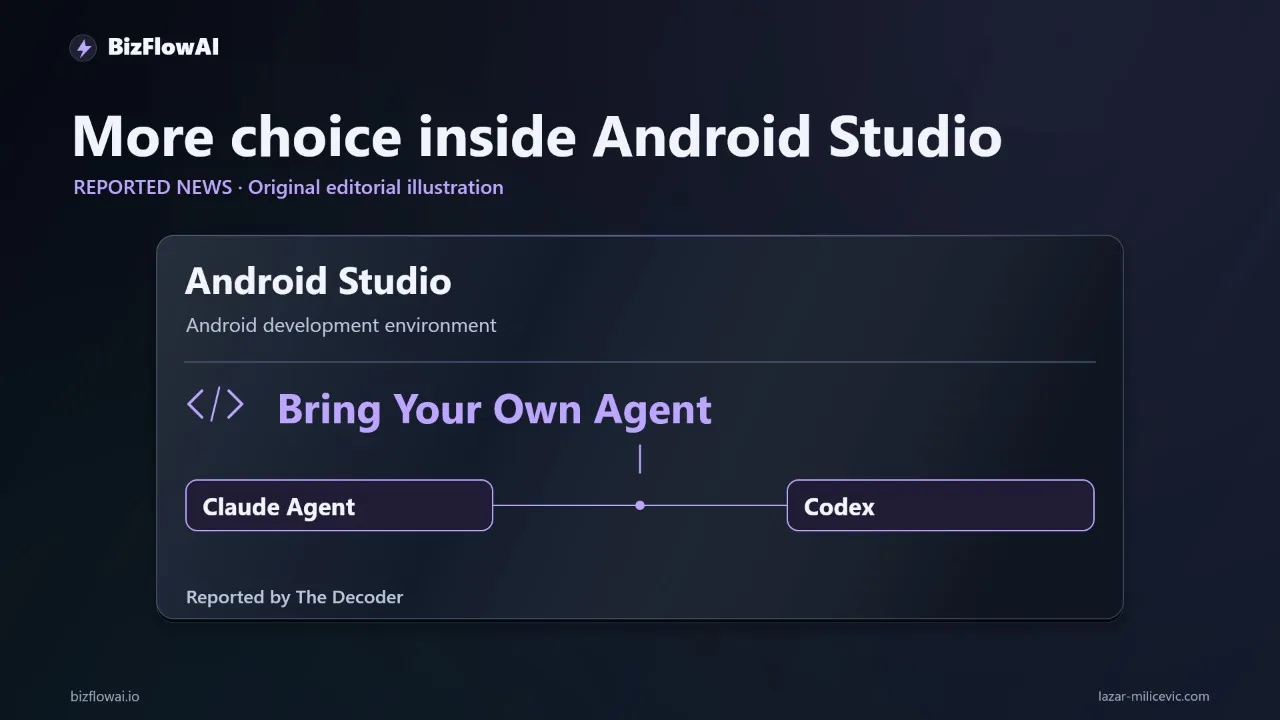
Google made Bring Your Own Agent (BYOA) stable in Android Studio Rabbit 2, announced at Android Dev Summit on October 28, 2026. According to Google's Android Developers Blog, you can choose from over 40 coding agents, including Claude Agent, OpenAI's Codex, Junie and Google Antigravity. Google says Rabbit 2 is ready for production use, and the release also includes a skills manager and AI code review.
The mechanics matter, because they shape what you can expect:
- Agents plug in through the open Agent Client Protocol (ACP), per Google's Dev Summit post.
- Studio launches its own instance of the agent. It does not attach to an agent you already have running in a terminal, per the Android quickstart.
- Agents can use the Android Emulator, build systems and Logcat, plus Android skills.
- It runs on your own AI plan. Google says enterprise and consumer plans are supported, subject to the agent provider, and that if one agent runs out of quota another can take over, per the earlier BYOA post.
Two caveats I'm holding to. "Over 40" is Google's wording; I couldn't find an exact count or a full list, so I won't write "40." And Google doesn't state pricing for third-party agents. I'm not going to give you a cost figure, because there isn't a sourced one.
The Decoder's headline also mentions new Gemini APIs. According to The Decoder, the AppFunctions API launched in beta, using the Model Context Protocol as a tool-calling layer so apps can expose functions to local or system-wide agents, and Agent-to-UI (A2UI) for Jetpack Compose is in alpha. I haven't used either, so I'm not going to speculate on what they'd do for a billing workflow. For the job below, the relevant news is the open door for outside agents.
Read Google's Speed Claims as Google's Claims
The headline number is that new terminal tools let agents finish UI tasks 77% faster with up to 3x fewer tokens. Per the daily.dev summary of Google's post, that comes from Google's internal tests of a new terminal Compose preview command, compared with relying on an emulator or the IDE.
Be careful what that number covers:
- It's a UI-task measurement, not a complete-app measurement.
- It's Google's own test, not an independent benchmark.
- It's not my client data, and it says nothing about how much a finished business tool costs.
Fewer tokens on a screen change can trim one slice of development cost. But a cheaper screen is still expensive if the office spends every afternoon correcting what comes out of it. A speed claim measures how fast code gets written. It doesn't measure whether a completed job reaches billing once, with the right data.
Google's own benchmark work points the same way. Per 9to5Google, Android Bench 2.0 measures agents on long-horizon tasks that Google describes as taking an engineer multiple days or even a week, including building apps from scratch. Google's methodology page separates pass rate (how often an agent fully solves a task) from completion rate (how much of a task it finished). That distinction is the whole game for a business tool: "mostly finished" billing logic is not finished billing logic. I won't quote leaderboard scores here, because the figures I found were inconsistent across outlets.
The Gap: A Faster Coder Isn't a Working Process
Take a field service company. A technician finishes a job, emails photos, sends a separate message with hours worked, and leaves the office to retype everything into billing. Gmail, accounting, chat and documents don't talk to each other. In setups like this, an owner can lose hours a day chasing missing information, checking invoices and following up with leads. That's an illustration from the kind of client work I see, not a sourced industry figure. Hiring another person is slow and expensive, and generic SaaS doesn't quite fit the job.
A coding agent in Android Studio changes the application. It does not:
- connect your accounting system,
- settle who is allowed to see or approve what,
- make the integration reliable, or
- tell you what counts as an unusual charge.
Those are decisions about your business process. Someone has to make them before any agent writes a line. And note who this feature is for: Android Studio is a developer tool. If you're an owner, you're commissioning or reviewing the work through a developer or agency, not typing prompts into the IDE yourself.
So narrow the ambition. Not "build us an app." Instead: can an agent improve the single screen where completed work becomes a billable record?
Write the Acceptance Brief Before You Pick an Agent
This is the one thing you can do today, with zero tooling. Describe the workflow in plain language:
The technician selects a job, enters hours, attaches photos, and taps submit. The software checks required fields and sends a structured record to the office. An unusual charge goes into a review queue. An approved record can move to accounting through an integration you deliberately build.
Then compress it into a brief an agent (or a human developer) can be held to:
ACCEPTANCE BRIEF: job completion -> draft billing record

When a technician submits a completed job:
  1. Create exactly one draft billing record linked to the job ID.
  2. Require hours and at least one photo.
  3. Route unusual charges to a human review queue.
  4. Show the technician whether submission succeeded or failed.

Out of scope for this task:
  - Live accounting integration (use a test destination only)
  - Changing pricing rules
  - Anything touching production billing data
Notice what's in there: a division of labor. The agent changes the app. The app handles the operational handoff. A person approves exceptions. "Unusual" needs a definition you supply, such as hours above a threshold or a charge outside the job quote. I'm not going to invent your threshold; it's yours to set.
That human-approval step also has product support on the tooling side. Google's earlier BYOA announcement describes granular permissions: the agent can act on its own for routine work and pause for human approval on riskier actions. That post is from September, and I couldn't find documentation on permission scope for agents touching the emulator or physical devices, so treat the specifics as something to verify in the IDE rather than assume.
Three Test Cases That Prove the Handoff
A brief is only useful if you can check it. These three tests are small enough to run in an afternoon and strict enough to separate a demo from a working tool. Run them against test data and a test destination, never live billing.
| # | Test | What you do | Pass condition |
|---|---|---|---|
| 1 | Normal job | Submit a completed job with hours and a photo | One draft record exists, linked to the right job ID |
| 2 | Missing field | Submit with hours blank | App says what's missing; no record is created |
| 3 | Double tap | Tap submit twice quickly | Still exactly one record |
Test 3 is the one that catches the expensive bugs. Duplicate billing records are exactly the kind of mistake that becomes an audit problem when nobody can trace which job produced which charge. If your test destination is a simple table or sheet, you can even check it with a few lines:
# check_duplicates.py - run against your TEST destination only
import csv
from collections import Counter

with open("test_billing_drafts.csv", newline="") as f:
    job_ids = [row["job_id"] for row in csv.DictReader(f)]

dupes = {j: n for j, n in Counter(job_ids).items() if n > 1}
print("PASS" if not dupes else f"FAIL - duplicates: {dupes}")
Add a fourth case once the basics pass: submit a charge you've defined as unusual and confirm it lands in the review queue instead of going straight through. That's the approval trail, and it's the part most demos skip.
Use BYOA to Compare Agents on the Same Brief
Here's where the announcement earns its keep. Because BYOA lets you pick from multiple agents and swap if one runs out of quota, you can hand the identical brief to two of them and judge the output on the same four tests. Per Google's Rabbit 2 announcement post, you enable one by opening the agent window and picking an agent, or by going to Settings > Tools > AI > Agents, then authenticating and submitting a first prompt.
A fair comparison looks like this:
- Same brief, same test data, same four tests for every agent.
- Score on outcomes, not volume. Did tests 1 through 4 pass? How many correction rounds did it take? A giant diff and a slick demo aren't the metric.
- Review the change, not just the result. Rabbit 2 includes an AI Change Review feature that flags recommended fixes across agent changes, pending commits or committed changes, then walks through grouped diff chunks, per the daily.dev summary. One secondary source labels it "announced" rather than shipped, so check that it's actually in your IDE before you plan around it.
- Keep a human on the diff. An agent that passes your tests can still introduce something you didn't ask for. Review before anything gets near production.
Also worth knowing: if you already maintain an Android app, hand the brief to your developer and see whether the new agent support speeds up delivery. If you don't have an app, the brief still pays for itself, because it may show you don't need one. A web form plus an integration can solve the same handoff with less to maintain.
Where This Fits in Practice
I build AI automations for small teams, and the acceptance-brief approach is how I'd scope a project like this too, whether the end result is a mobile screen, a web form or just a workflow with no UI at all. The agent writing the code is one input; the defined process, the test cases and the human approval step are what make it hold up.
My take: the valuable part of this news is the ability to bring another agent into the development environment, because it lets you compare agents against one job instead of trusting a launch demo. But the winning result isn't the biggest code change or the shortest demo. It's a completed job reaching billing once, with the right information and a clear approval trail. Write that down first, then test it.
Want more like this?
I publish practical AI automation, GenAI engineering, and faceless content workflows on YouTube every week.
Subscribe to bizflowai.io on YouTube — never miss a new tutorial.
Planning an AI automation project or need a second opinion on your architecture?
Connect with me on LinkedIn — Lazar Milicevic, GenAI Engineer & bizflowai.io Founder.
Visit bizflowai.io for our services, case studies, and AI consulting.
Frequently asked questions
What is the Bring Your Own Agent feature in Android Studio?
Bring Your Own Agent is a feature Google is introducing in Android Studio, its development environment for Android apps. According to The Decoder's report, it supports more than 40 coding agents, including Anthropic's Claude Agent and OpenAI's Codex. The practical change is choice: Google is opening Android Studio to coding agents from other providers instead of limiting developers to its own.
Do Android Studio's new terminal tools really make agents 77 percent faster?
Google reports that its new terminal tools help agents finish UI tasks 77 percent faster while using up to three times fewer tokens. These are Google's own figures, not independent measurements. They apply to UI tasks specifically and don't establish the cost or speed of building a complete app, so treat them as a vendor claim rather than a guaranteed result.
Why does Android Studio supporting outside coding agents matter for small businesses?
A small custom mobile tool can sometimes remove a handoff that keeps breaking a business process, such as a technician's job details never reaching billing. Supporting outside agents lets a developer compare different agents on the same task. However, agent support alone doesn't connect your accounting system, settle permissions, or make an integration reliable. Those still have to be built deliberately.
How do I evaluate a coding agent before using it to build a business app?
Write an acceptance brief first: a short, specific description of one outcome. For example, when a technician submits a completed job, create one draft billing record linked to the job ID, require hours and a photo, send unusual charges for human review, and show whether submission succeeded. Then test a normal submission, a missing required field, and a double tap, using test data and a test destination.
When should I build a mobile app versus using a form and an integration?
Build a mobile app only if it clearly improves a specific step, such as the screen where completed work becomes a billable record. A simple form plus an integration might solve the same problem with less maintenance. Writing an acceptance brief helps you decide: if the required behavior is small and testable, a lighter solution may be enough, and an app may not be justified.